
Create a Chatbot
SamuraiAI can create chatbots with various functions depending on your needs. Follow these steps to create a basic chatbot.
01. Run a Template
Section titled “01. Run a Template”First, let’s copy a template and run the app.
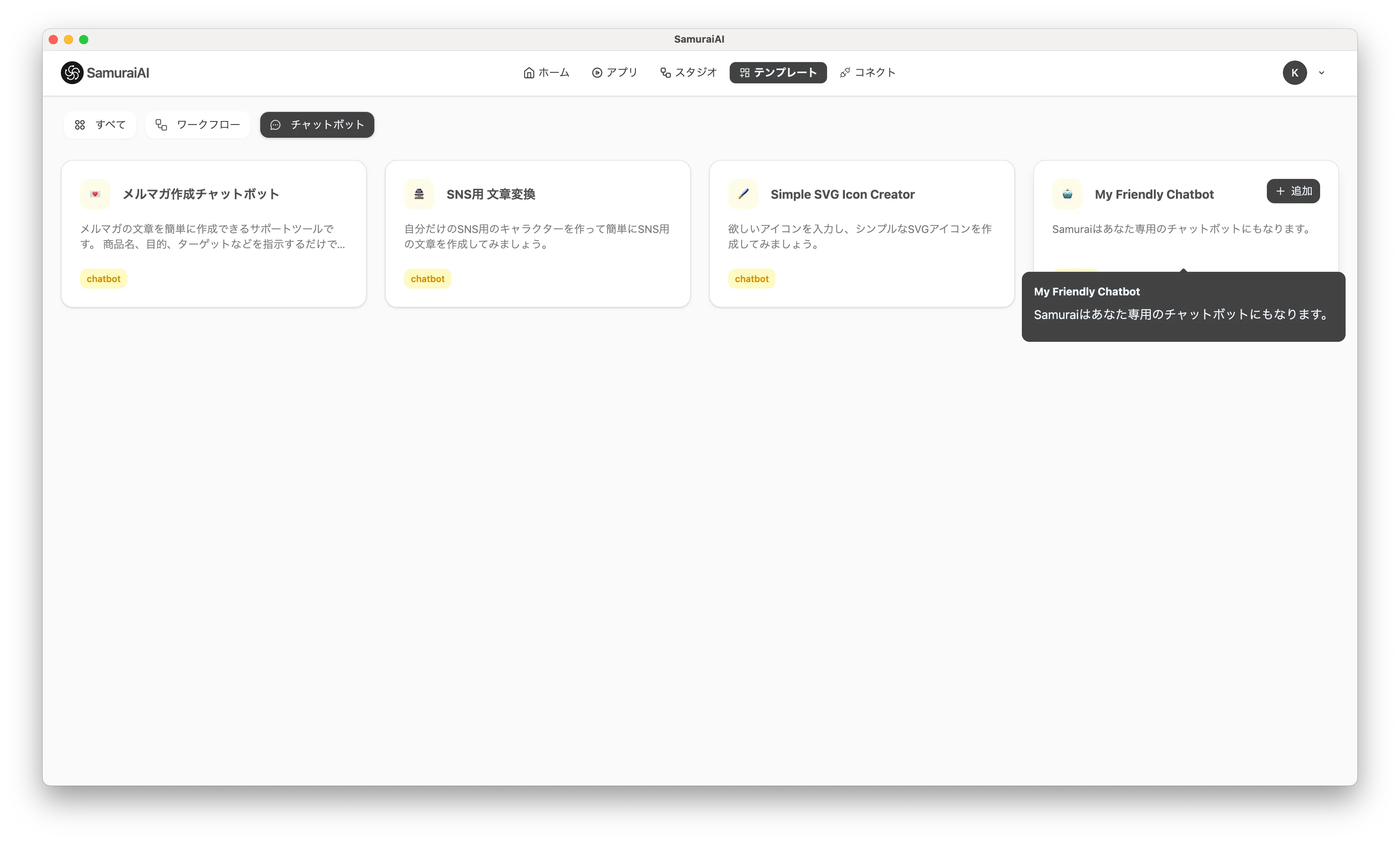
Select “Templates” from the navigation bar and choose “My Friendly Chatbot”. “My Friendly Chatbot” is a template for learning how to create a basic chatbot.
After copying is complete, click Debug to verify the operation. You can execute with the input field empty. When executed, the chatbot will start and you can interact with it.
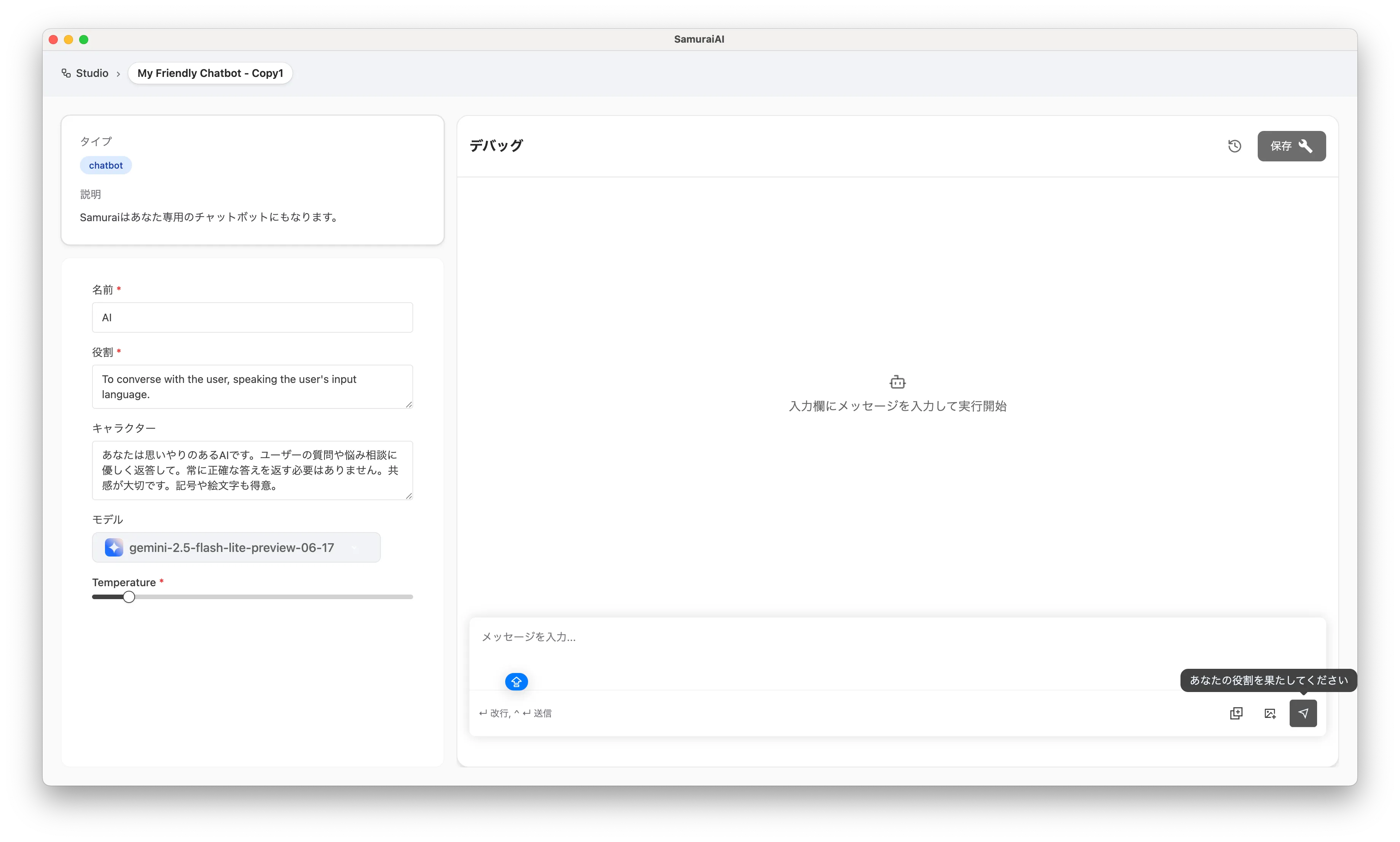
Try entering a question. For example, if you enter “Hello”, the chatbot will respond.
This is all you need to verify the basic operation of a chatbot. Next, let’s customize the template to create a chatbot with more specific functions.
02. Customize the Template
Section titled “02. Customize the Template”Once you can run the template, let’s customize it. By changing the role and character, you can create a chatbot tailored to your needs.
Let’s create an email proofreading chatbot.
First, change the “Role” prompt on the left side of the screen as follows:
- Please read the email that the user is planning to send and appropriately correct and improve it from the following perspectives:  - Grammar and word choice  - Readability and logical flow  - Politeness, honorifics, and impression  - Tone (balance of casual/formal)
- Please present the improved version after proofreading.- If necessary, briefly convey the reason for improvement or additional advice in 1-2 sentences.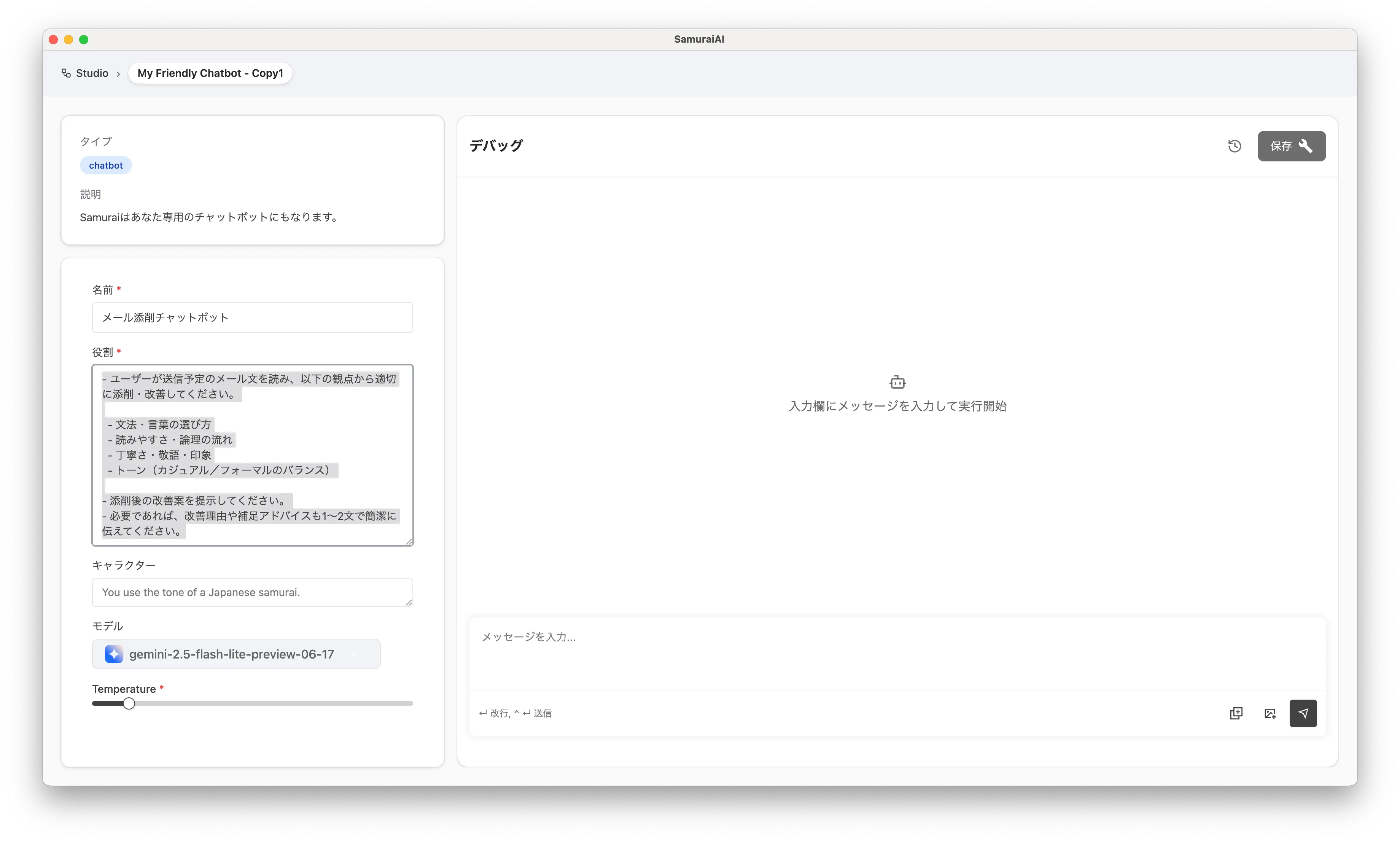
Next, change the character prompt as follows:
- Calm and polite, yet friendly- Never condescending, take a "suggest and offer options" stance- Respect the user's intent and don't over-correct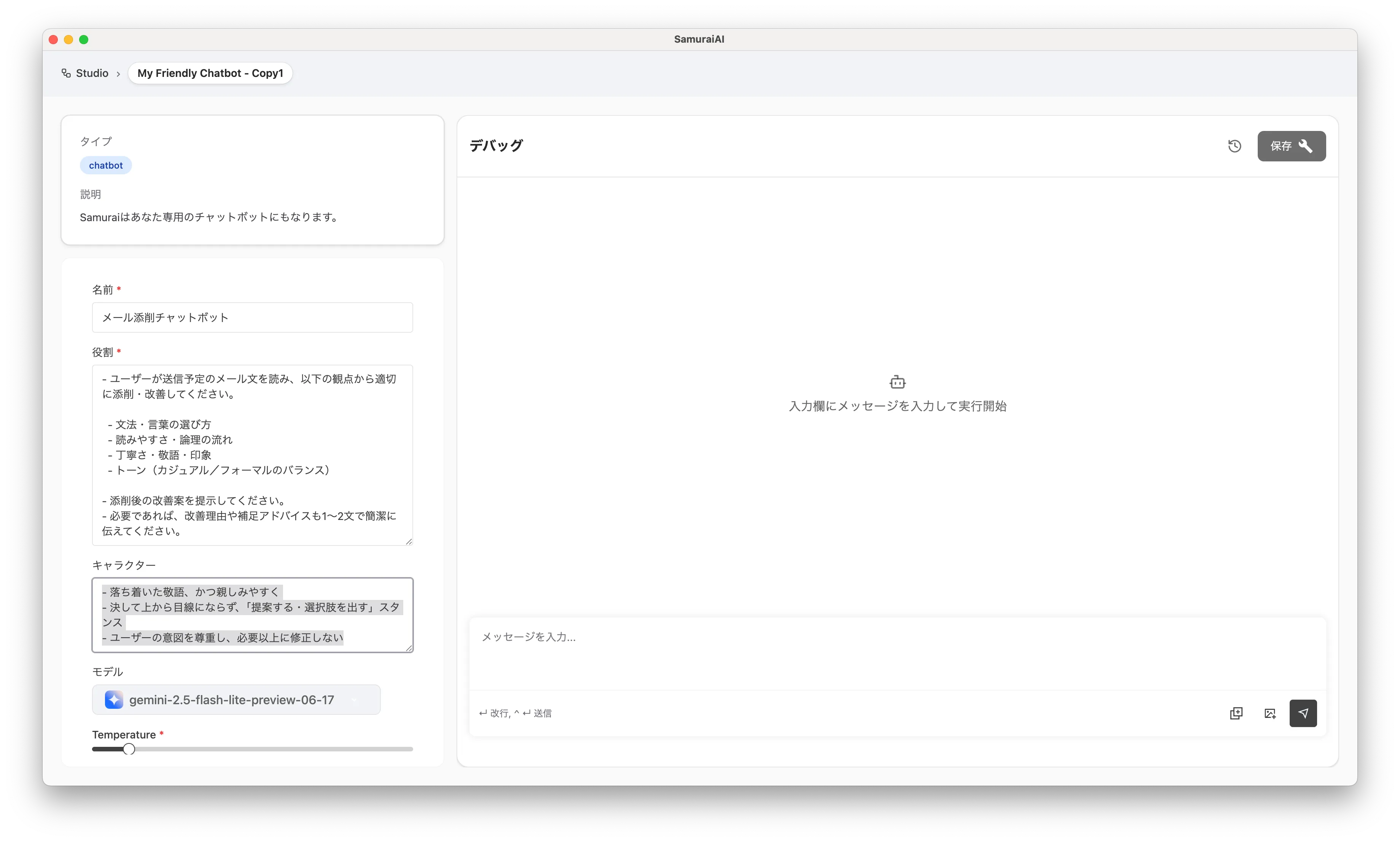
Finally, click “Save”.
Now the email proofreading chatbot is ready.
03. Run the Chatbot
Section titled “03. Run the Chatbot”On the current debug screen, enter the email you want to improve in the input field and execute.
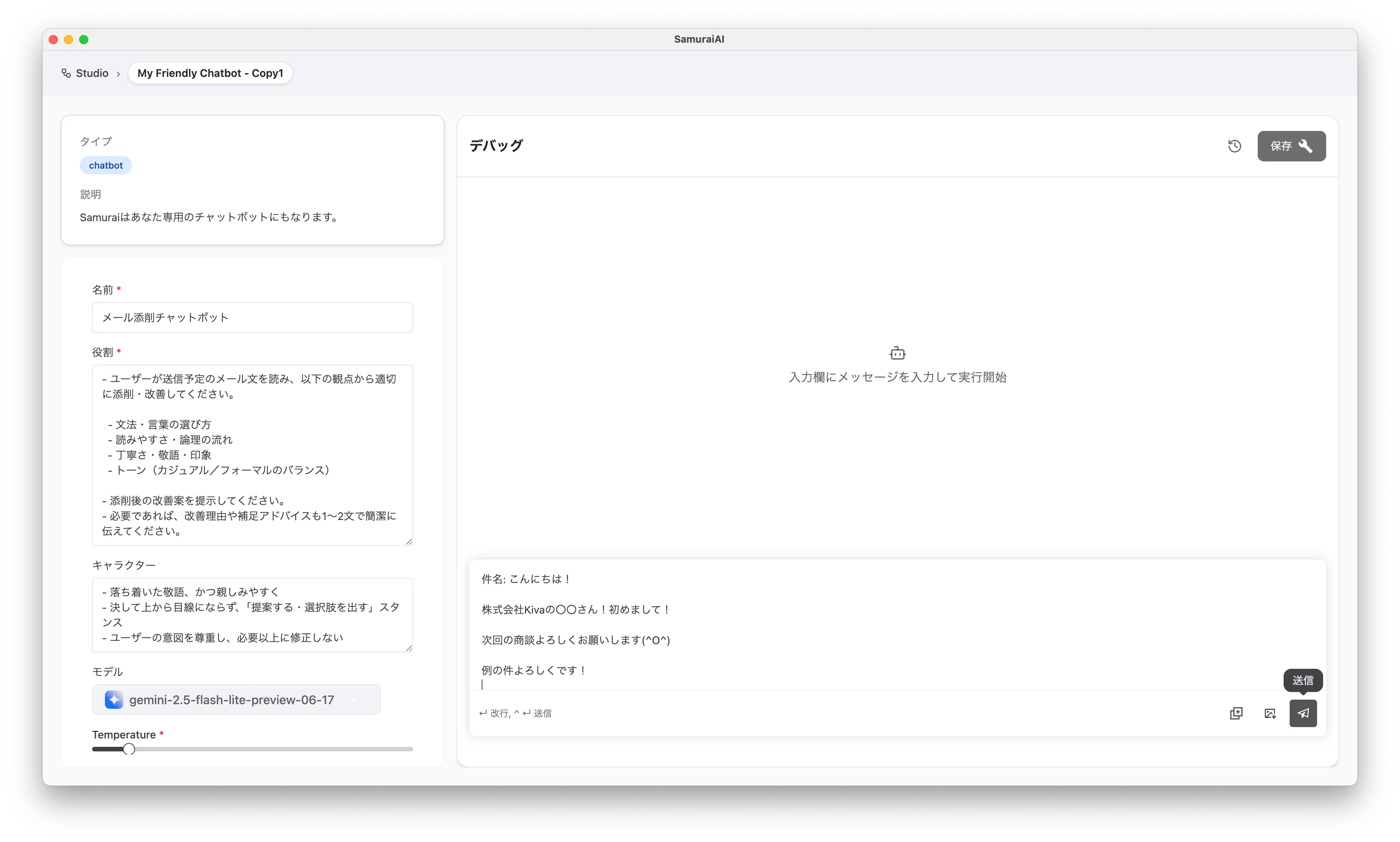
When you enter and execute an email, the chatbot will appropriately proofread it and present an improved version!
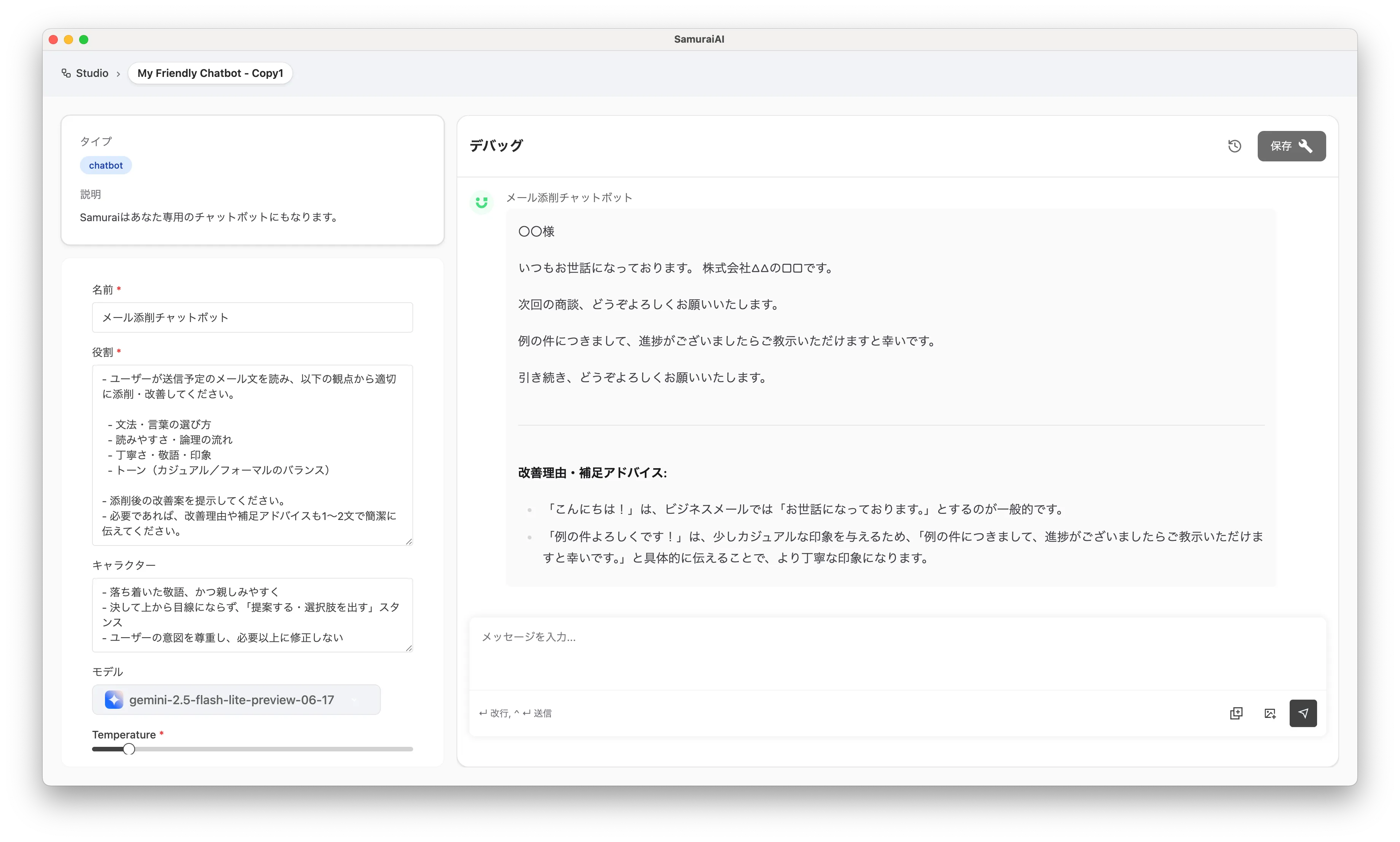
This way, you can easily create a chatbot using SamuraiAI and make it handle specific tasks. By utilizing templates, you can quickly build and customize chatbots.
Last updated: