
Understanding Input Variables
Input variables are information that users provide to an app (workflow), and are used to execute the app flexibly. By using variables, you can run the same app with different data or conditions, which is very convenient.
Setting Input Variables
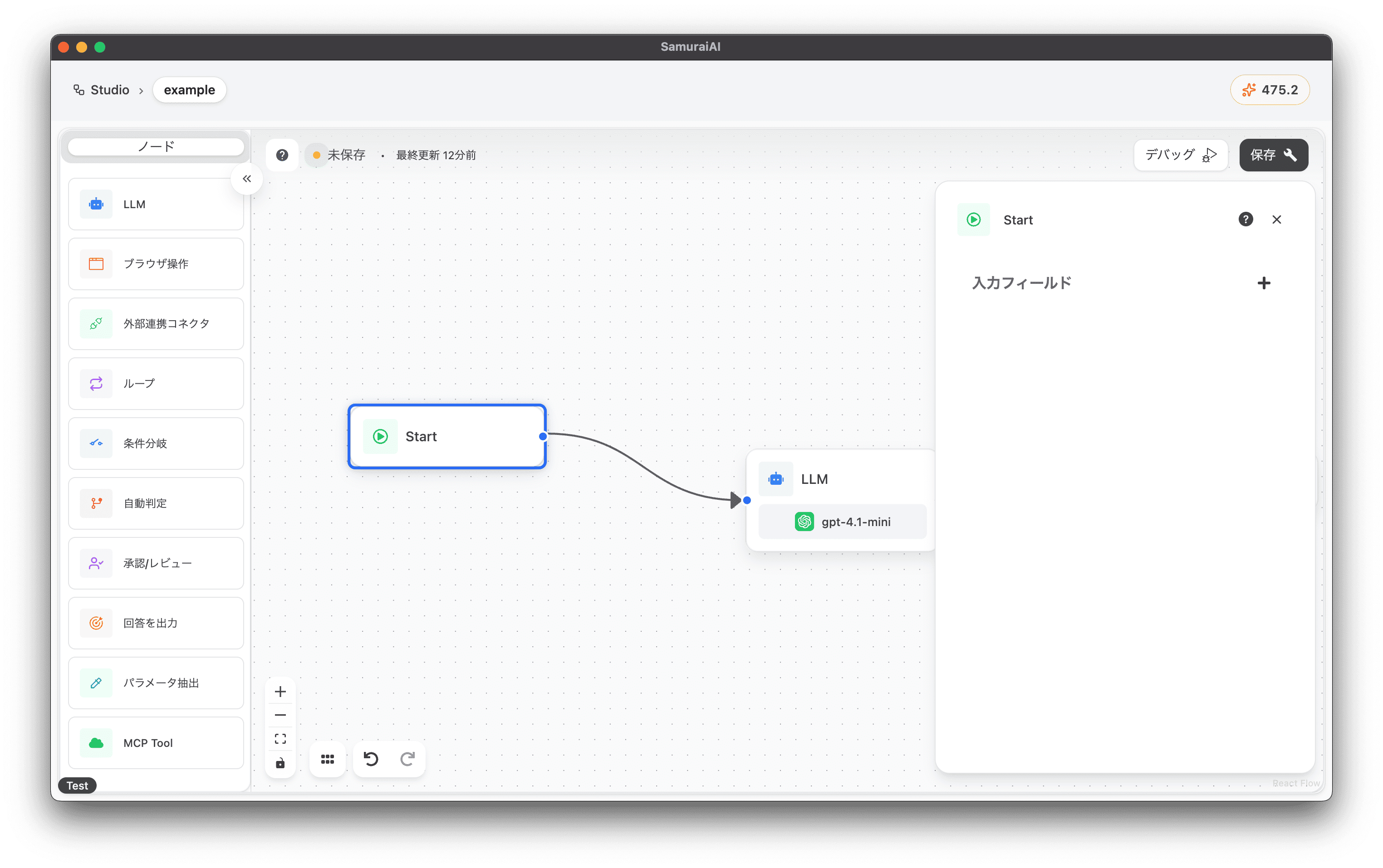
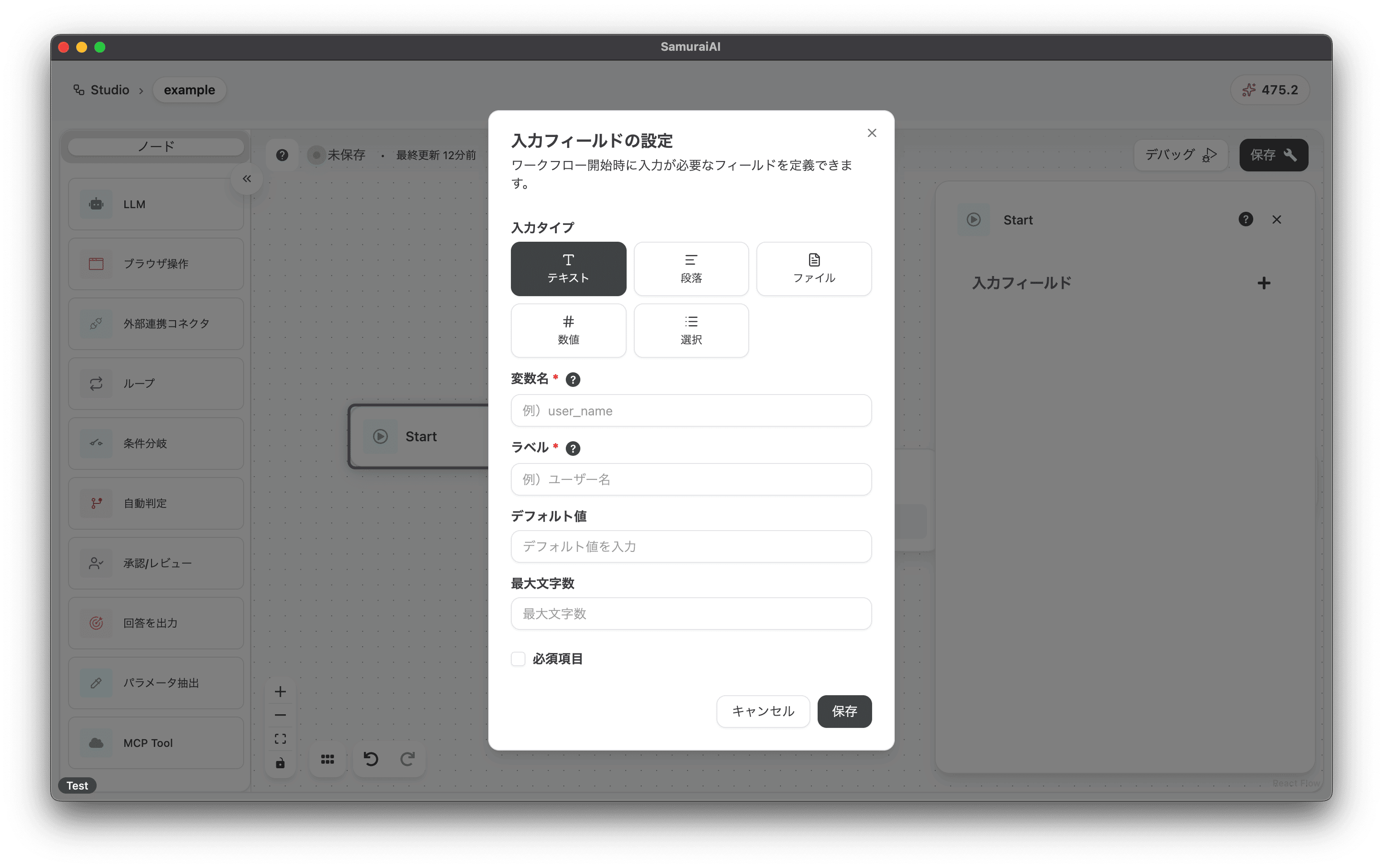
Section titled “Setting Input Variables”Input variables can be set from the input field of the Start node. Try setting up the following:
- Input Type:
Text - Variable Name:
user_name - Label:
User Name
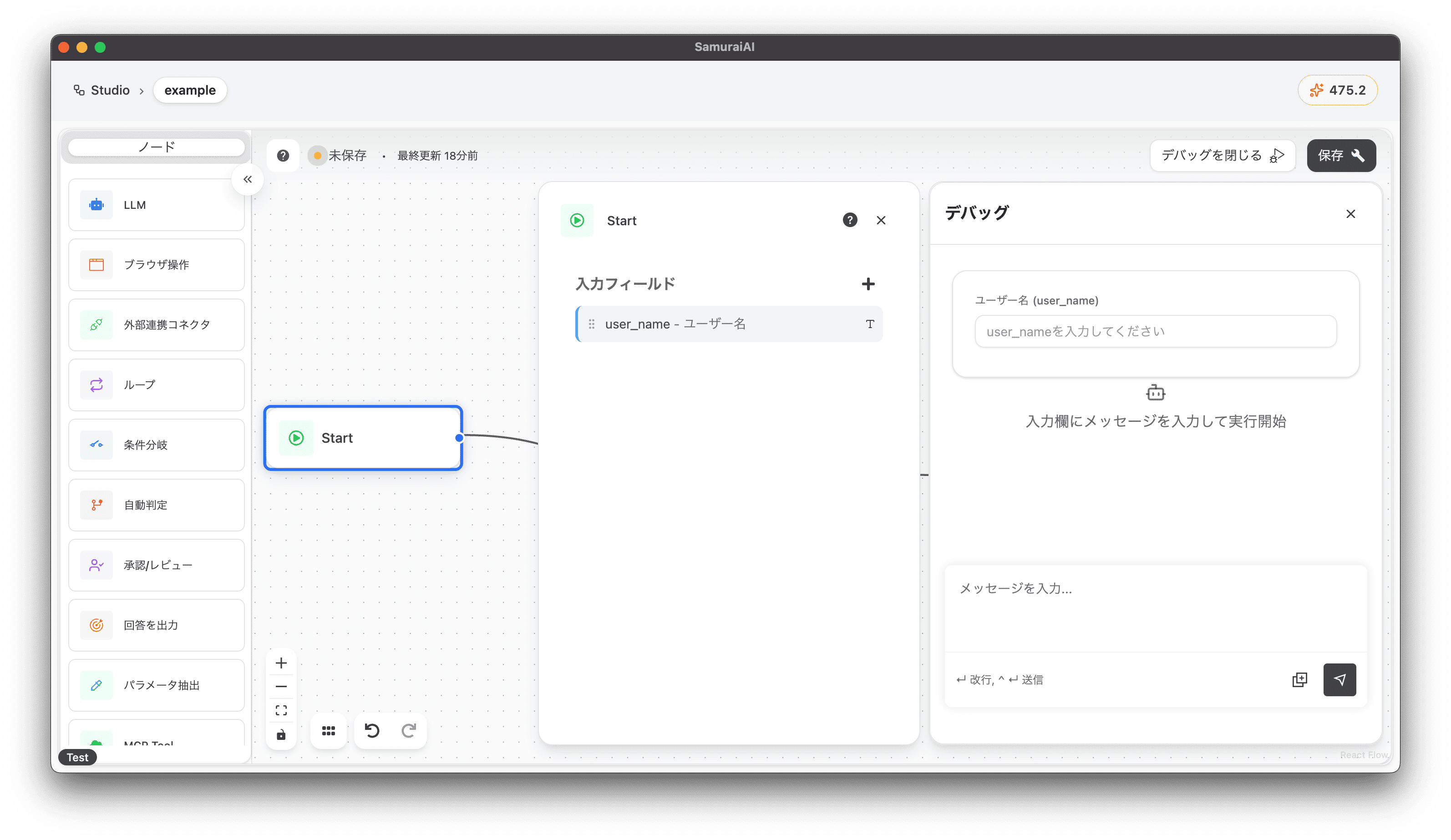
After setting, click Debug and you’ll see the variable input field displayed on the chat screen.
Using Input Variables
Section titled “Using Input Variables”To use a set variable in a node, reference the variable name by surrounding it with curly braces {}. For example, if the variable name is user_name, you can get the value of that variable by writing {user_name} in the app. In practice, you can interactively select from slash commands or the variable button.
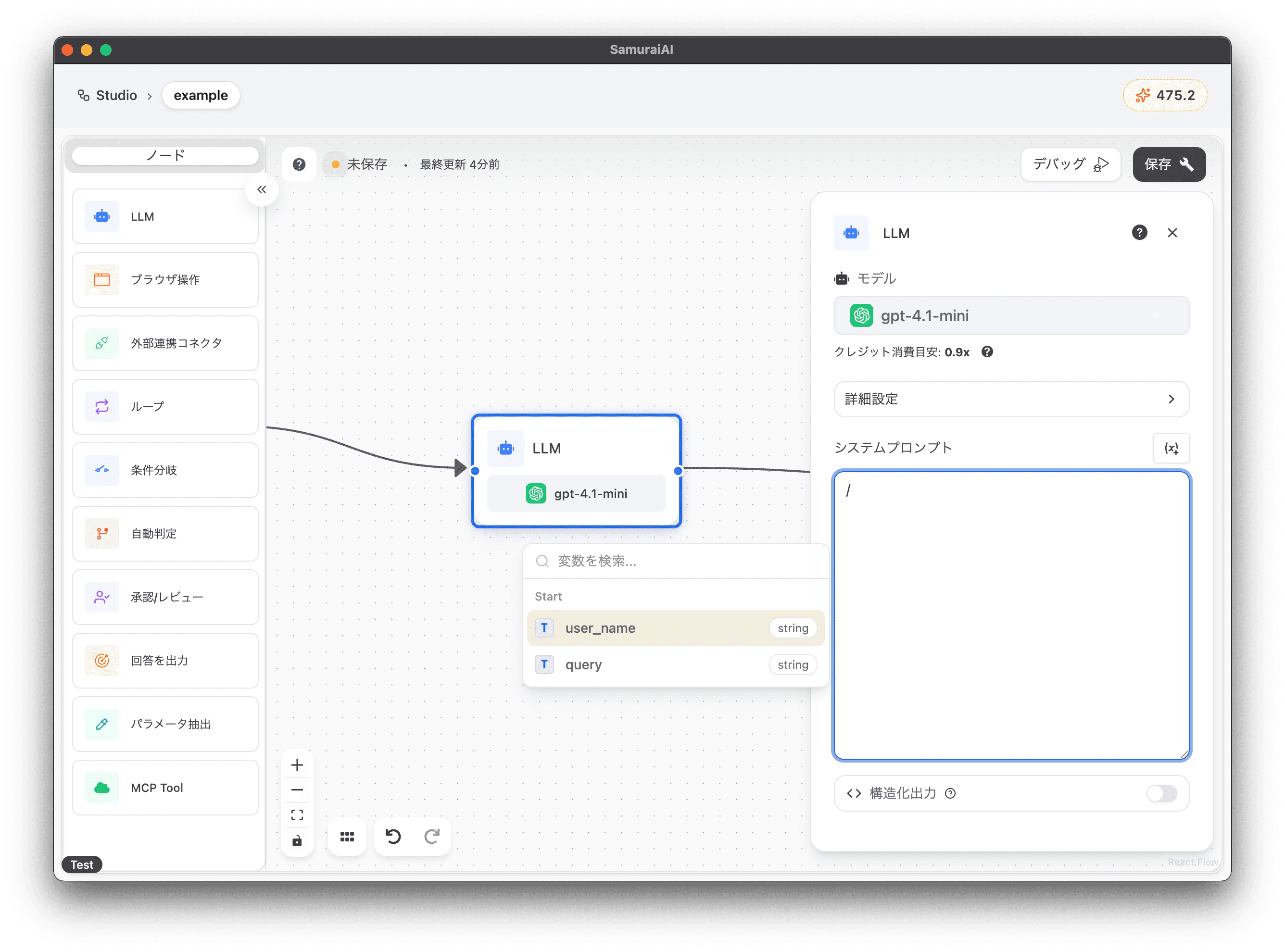
Now, let’s create an app that thinks of a nickname for a user using the user_name variable we just set. Enter the following in the LLM node’s prompt:
Think of a nickname for "{start.user_name}"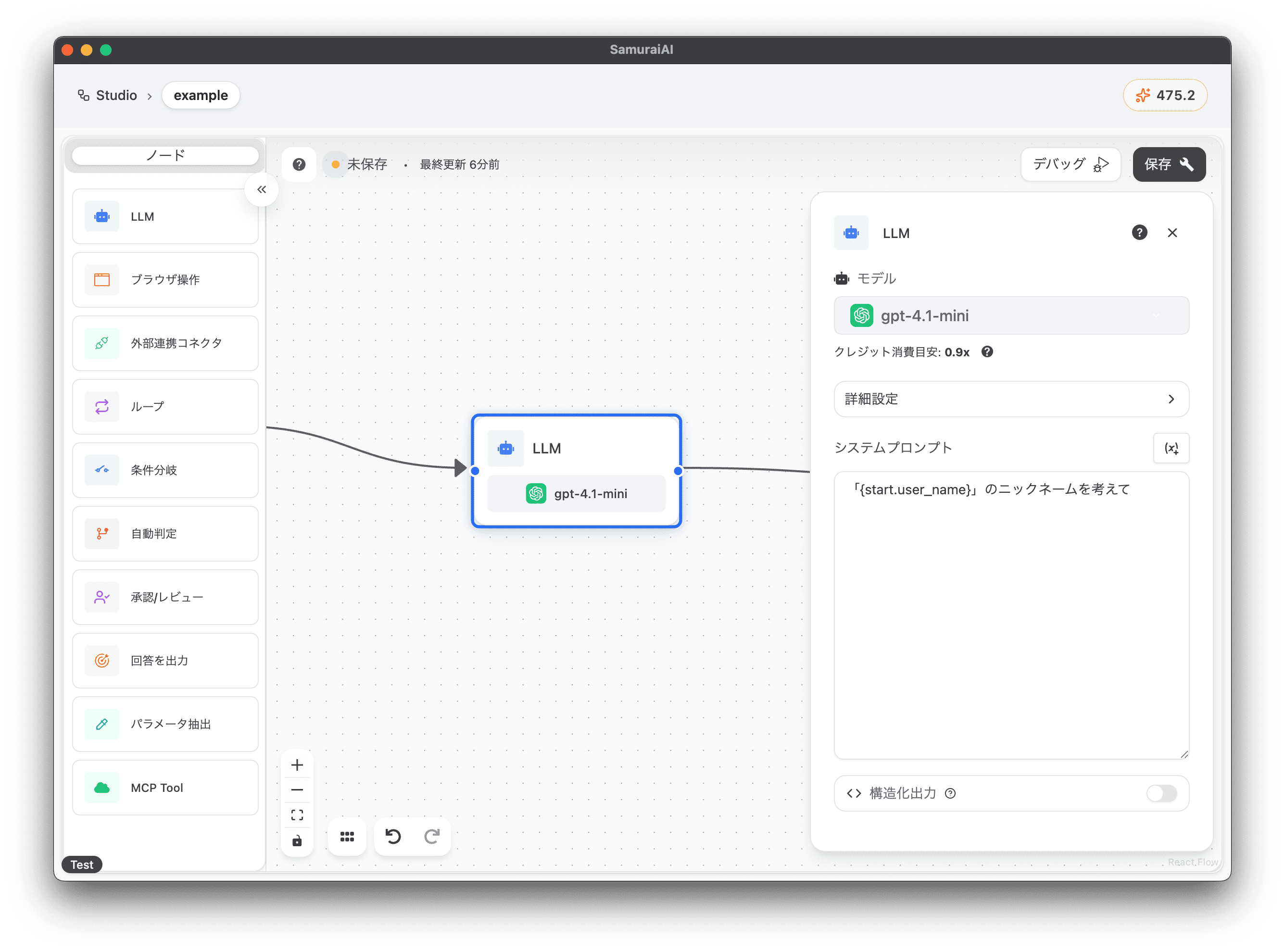
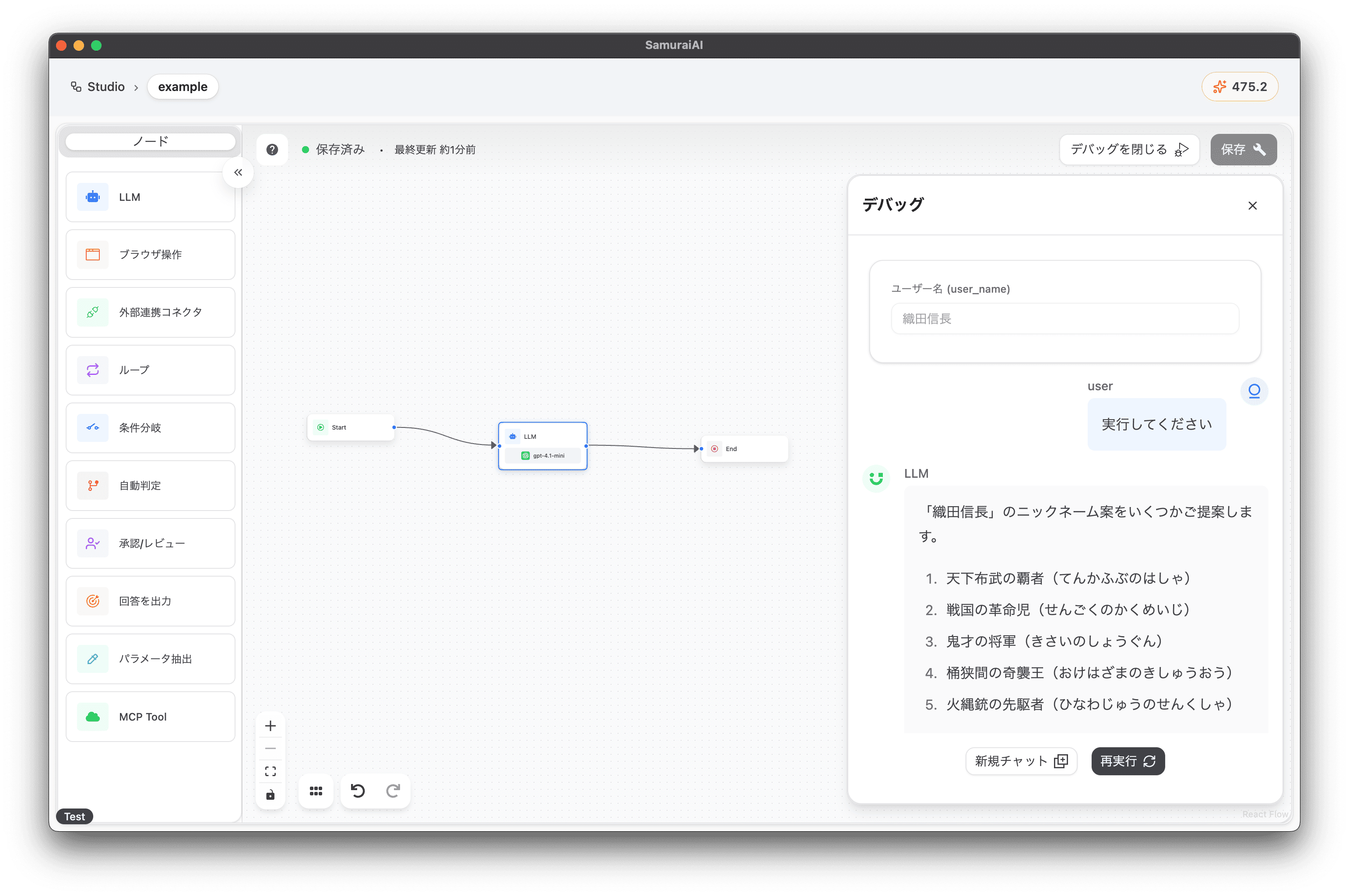
After setting, enter “Oda Nobunaga” in the User Name field on the chat screen and execute. You’ll get nickname suggestions! 🚀
Using Output Variables
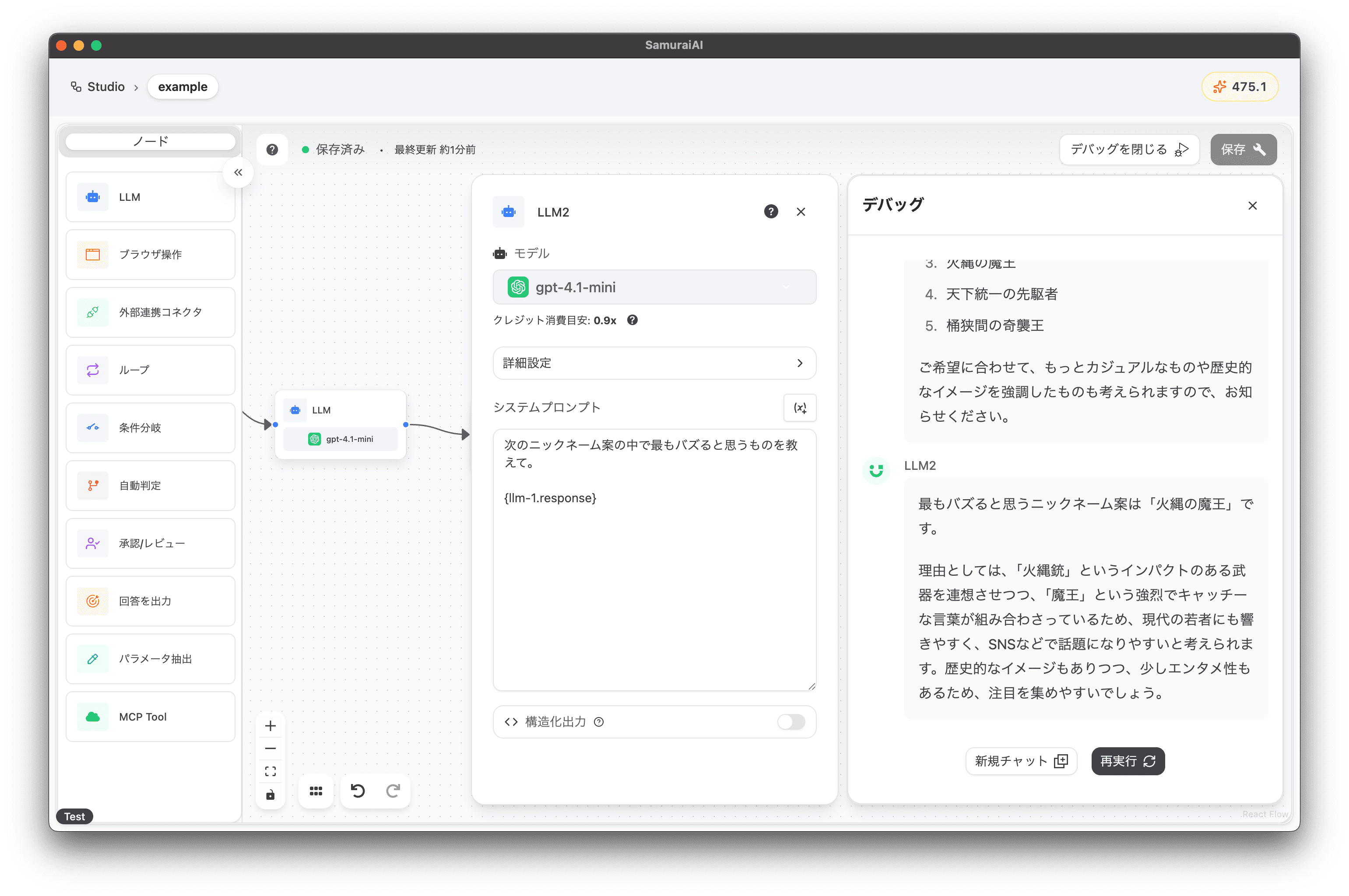
Section titled “Using Output Variables”Similar to input variables, node outputs can also be used as variables. For example, if you want to use the output of an LLM node in the next node, you can reference the output variable. Here, add a new LLM node to the right of the LLM node and set it as follows:
Tell me which nickname suggestion you think will be the most viral.
{llm-1.response}
This allows you to generate new information using the output of other nodes.
Last updated: