

Integrate with Local File System
Samurai AI can integrate with the local file system to retrieve and organize files.
01. Select External Connector on Workflow Screen
Section titled “01. Select External Connector on Workflow Screen”Create a workflow app in Studio and add an external connector.
After placing the external connector, click the node to open the prompt settings screen.
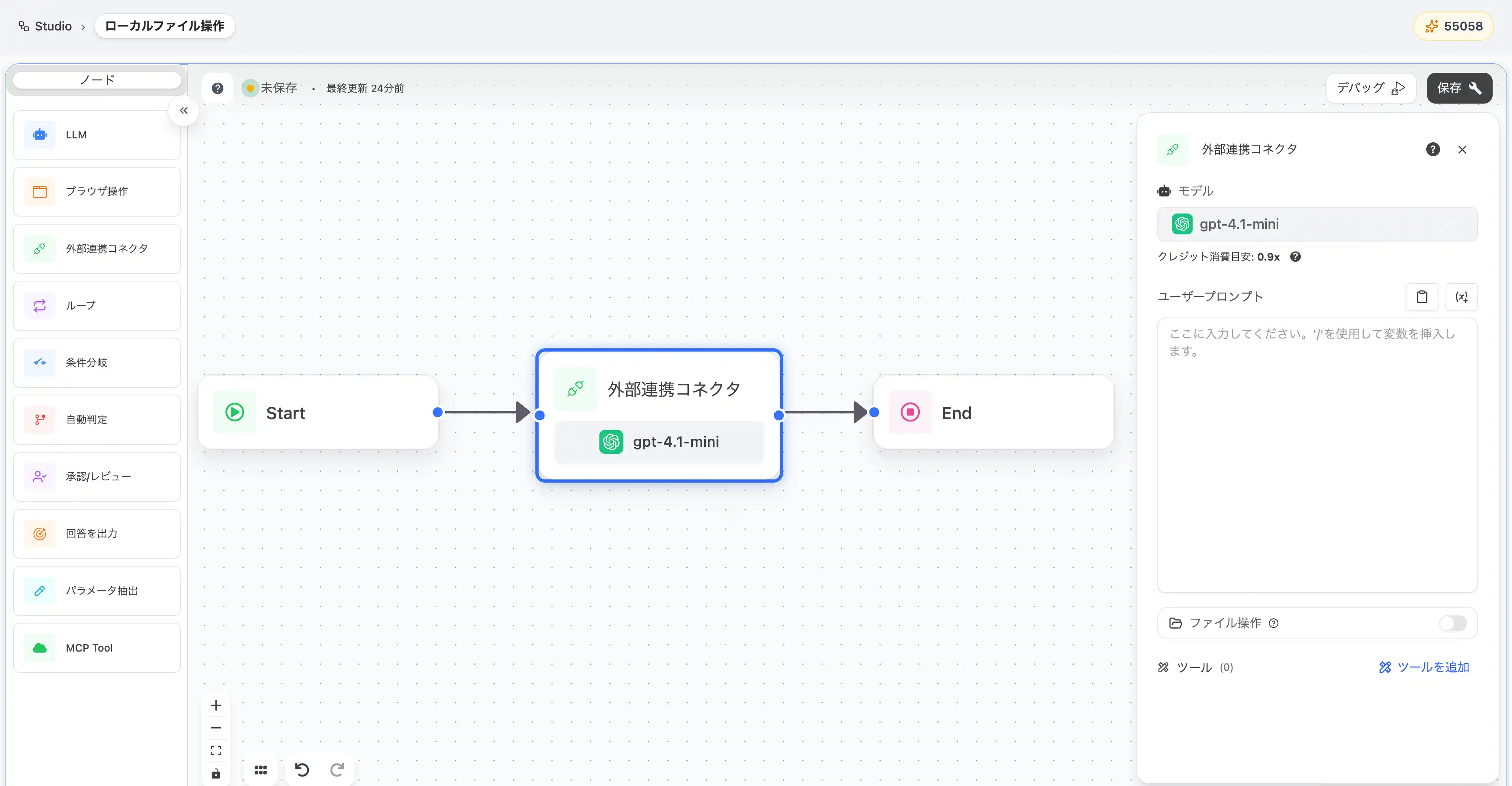
02. Enable File Operation Function
Section titled “02. Enable File Operation Function”Select “Filesystem” from “Add Tool” at the bottom right of the external connector panel.
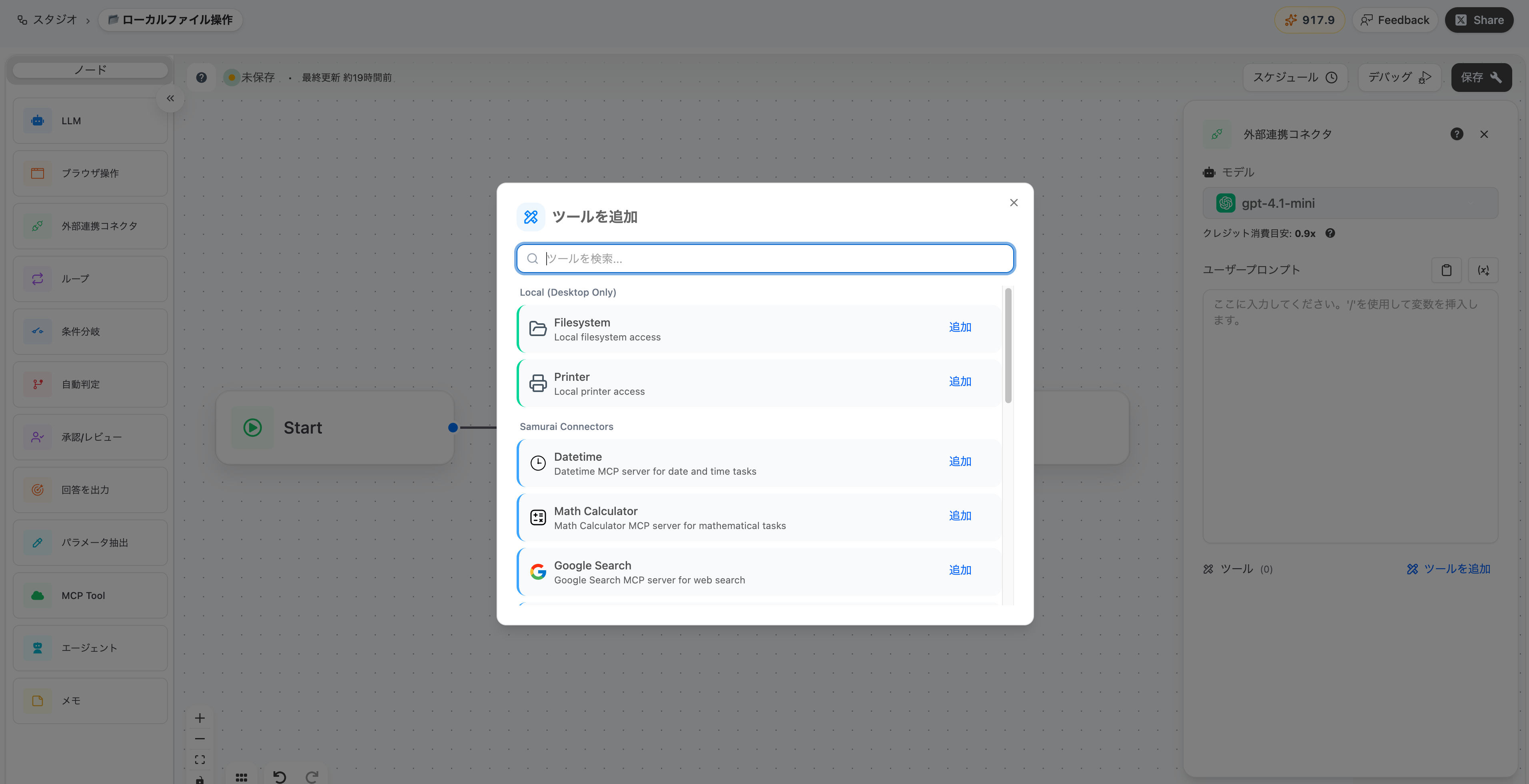
Here, set a prompt in the user prompt to get a list of PDF files.
By including the folder location (full path) in the prompt, AI can identify files more accurately.
To operate under the samurai download on Mac:
Search for PDF files (*.pdf) from /Users/username/.samurai/Downloads and display a file list.※ Replace username with your PC’s username.

In “Select allowed directories”, select the directories that AI can access.
- Documents: Documents folder
- Downloads: Downloads folder
- Desktop: Desktop folder
- Pictures: Pictures folder
- Samurai Downloads: Storage location for files acquired by Samurai during workflow execution
Allowed Directory Path Examples
Section titled “Allowed Directory Path Examples”Directory path formats differ by OS. Please refer to the following.
For Windows
Section titled “For Windows”| Directory | Path Example |
|---|---|
| Documents | C:\Users\username\Documents |
| Downloads | C:\Users\username\Downloads |
| Desktop | C:\Users\username\Desktop |
| Pictures | C:\Users\username\Pictures |
| Samurai Downloads | C:\Users\username\.samurai\Downloads |
For Mac
Section titled “For Mac”| Directory | Path Example |
|---|---|
| Documents | /Users/username/Documents |
| Downloads | /Users/username/Downloads |
| Desktop | /Users/username/Desktop |
| Pictures | /Users/username/Pictures |
| Samurai Downloads | /Users/username/.samurai/Downloads |
03. What You Can Do with File Operations
Section titled “03. What You Can Do with File Operations”Using the Filesystem connector, you can retrieve and organize local files within selected folders.
Just by giving instructions in natural language in prompts, AI will execute the following operations:
- File reading: Read the contents of text files, PDFs, image files, audio files (mp3, wav, ogg, etc.), and Microsoft Office formats (docx, xlsx, pptx)
- File writing: Create and edit new text files
- Folder operations: Create folders, get file lists, check hierarchical structure
- File operations: Search, move, and rename files