
Code Execution Node
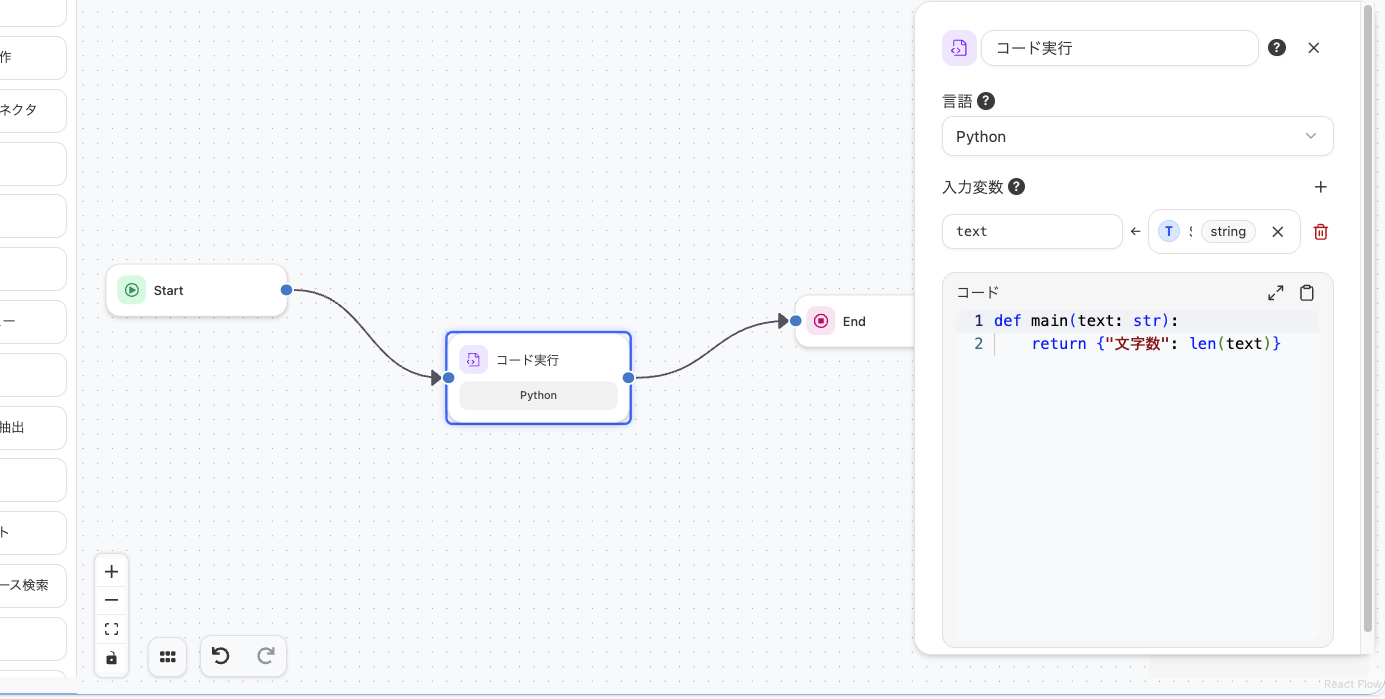
The Code Execution Node is a node that allows users to execute program code defined by themselves. It runs in a secure sandboxed environment.
Configuration Options
Section titled “Configuration Options”- Language
- Supports Python and JavaScript.
- Input Variables
- You can use outputs from other nodes as variables.
- Code
- Accepts arguments with the same names as input variables and allows you to write code freely. The return value is output from the node.
Tutorial
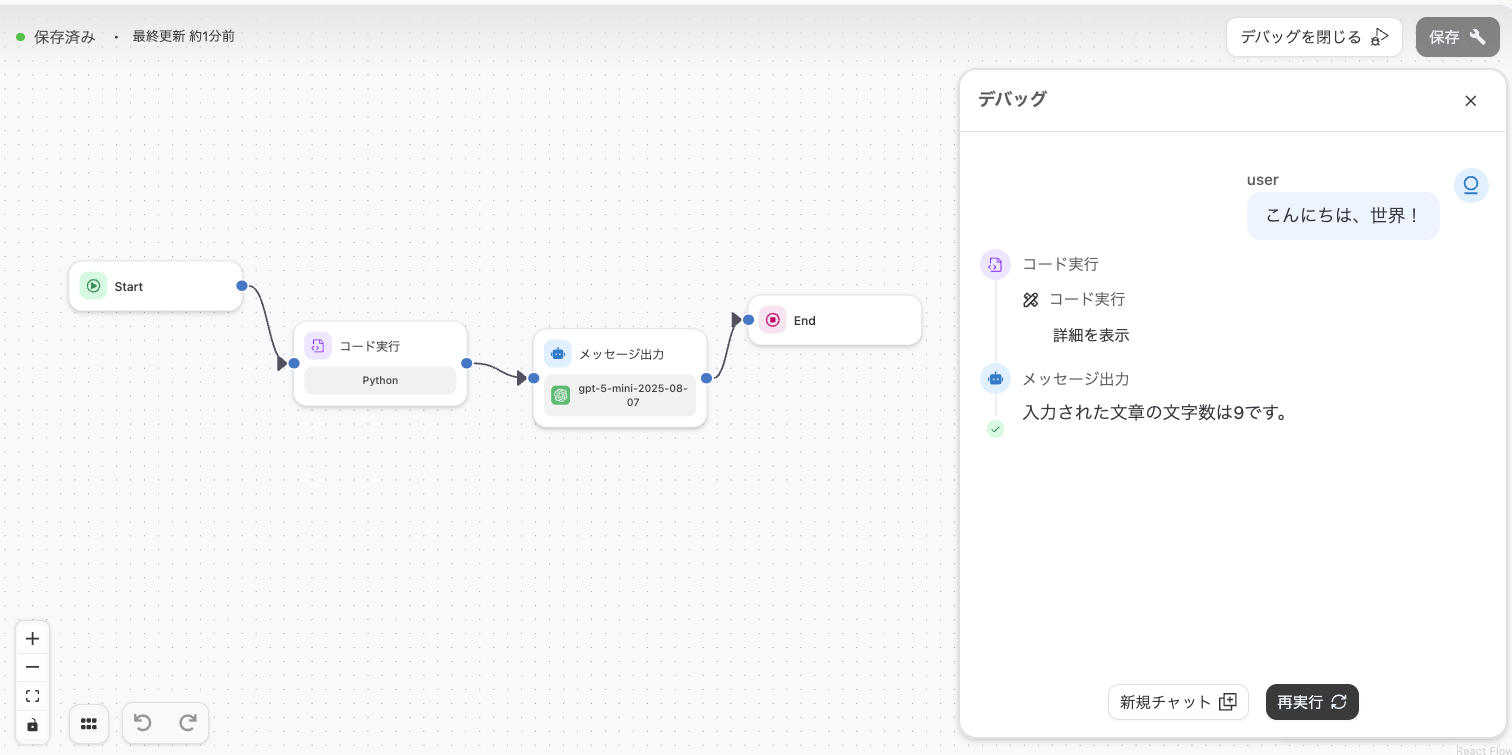
Section titled “Tutorial”Here we introduce an example of calculating the character count of an input query using the Code Execution Node and outputting a message. By applying this, you can ensure that LLM-generated text stays within a specified character limit.
Code Execution Node
Section titled “Code Execution Node”After creating a new workflow, select the Code Execution Node and copy and paste the following content:
- Language
- Python
- Input Variables
- text: query(start)
def main(text: str): return {"character_count": len(text)}
Message Output
Section titled “Message Output”Add an LLM Node after the Code Execution Node and copy and paste the following content into the prompt:
Output the character count of the input text as: The input text has 〇〇 characters.
{{#code-1.response#}}
Execution Result
Section titled “Execution Result”Now, click the debug button to run the workflow. Let’s use “Hello, World!” as the input text. The final output will be “The input text has 13 characters.”
Available Libraries
Section titled “Available Libraries”- Python
- pandas
- numpy
- openpyxl
- matplotlib
- seaborn
- scikit-learn
- regex
- reportlab
- pypdf
- pymupdf
- Pillow
- JavaScript
- pptxgenjs
- papaparse
- date-fns
Currently Unsupported Features
Section titled “Currently Unsupported Features”- External API calls (HTTP requests, etc.)
- Library installation
Last updated: