
Human Interaction Node
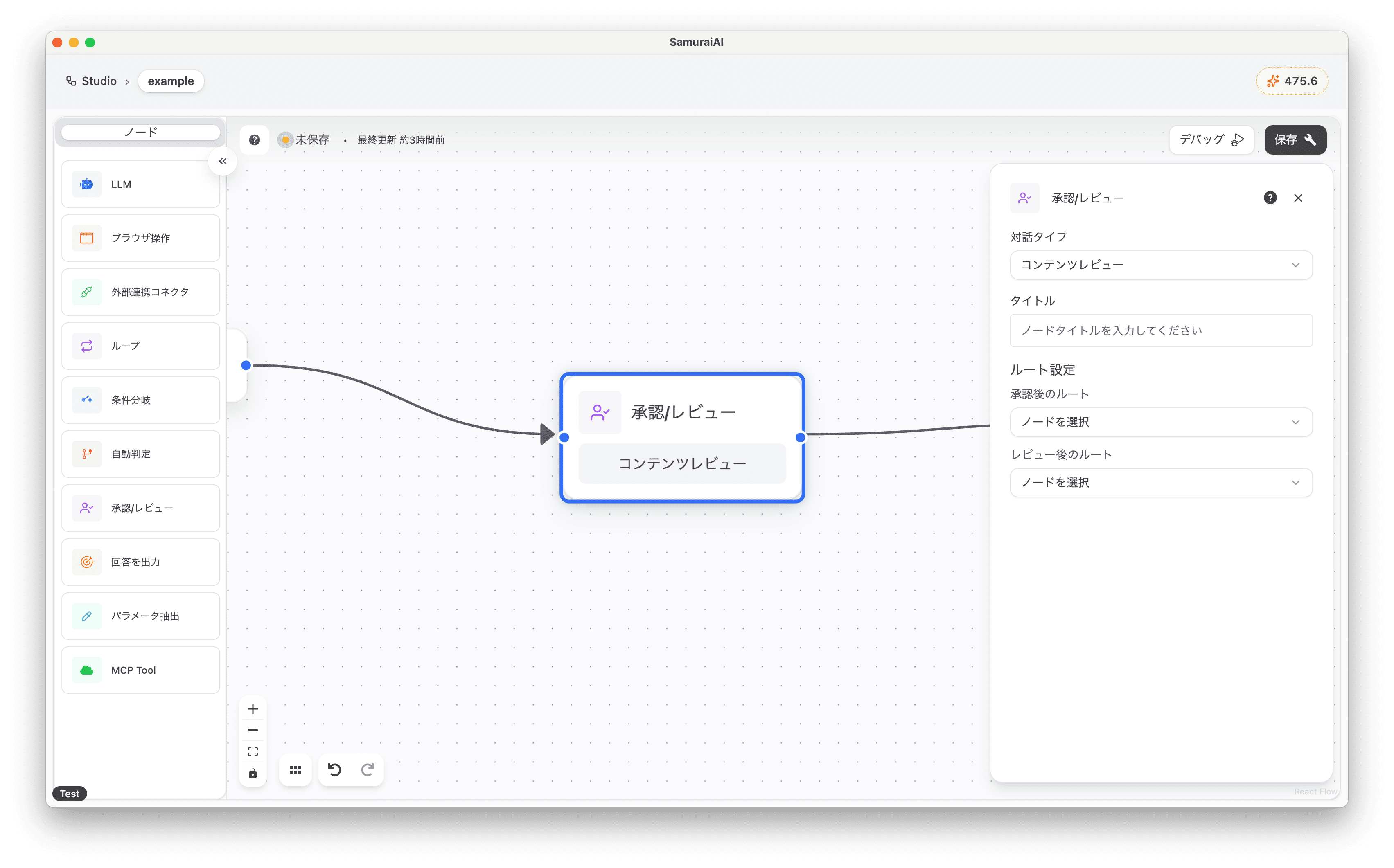
The Human Interaction node is a tool for requesting user actions at specific points in a workflow. This allows for flexible handling in situations where AI cannot make automatic decisions or where user judgment is needed. For example, it can be used in the following situations:
- When visual confirmation of data is required
- When user approval is needed
- When specific information needs to be input by the user
This tutorial introduces a “workflow that has AI review specific products from a product data list and has the user confirm and approve the content.”
Tutorial
Section titled “Tutorial”Preparing Demo Data
Section titled “Preparing Demo Data”First, create a new workflow in Studio.
Add an LLM node and copy and paste the following prompt:
Please review the following list.Separate items that can be listed tomorrow from those that cannot. Output the data in table format for easy viewing.
# Product Review Demo Data
Product Name: Smart Watch X100Category: ElectronicsPrice: 15,000 yenComment: Full of features and reasonably priced. Quality is also good.
Product Name: Organic Green TeaCategory: FoodPrice: 1,200 yenComment: Clear raw materials with no safety issues. Taste evaluation is also high.
Product Name: Children's Plastic Toy SetCategory: ToysPrice: 3,500 yenComment: Some parts use materials that do not meet safety standards.
Product Name: Waterproof Backpack 30LCategory: Outdoor EquipmentPrice: 7,800 yenComment: High waterproof performance and good durability. Design is also popular. Listing is currently suspended as we are negotiating with the supplier regarding pricing.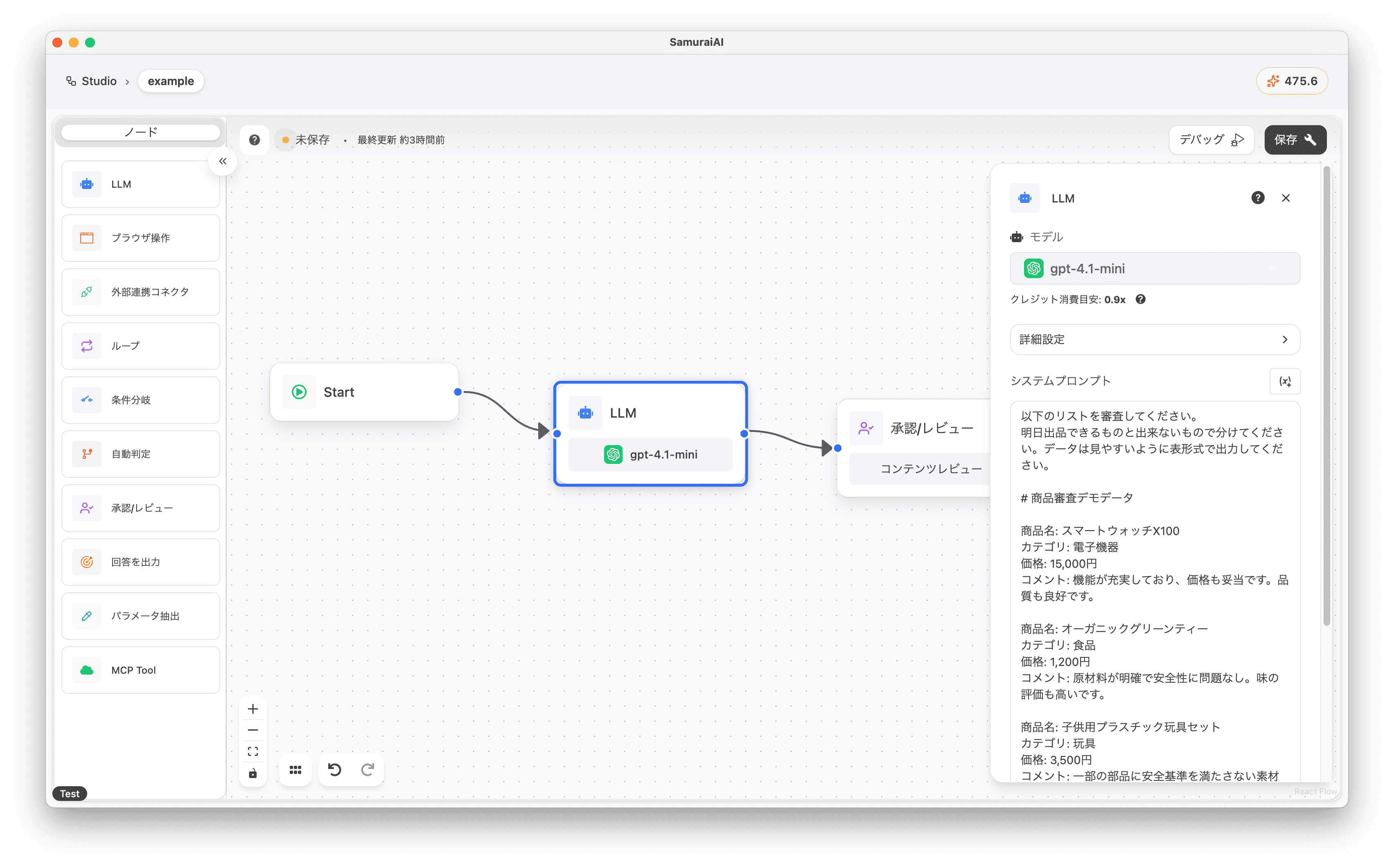
Adding the Human Interaction Node
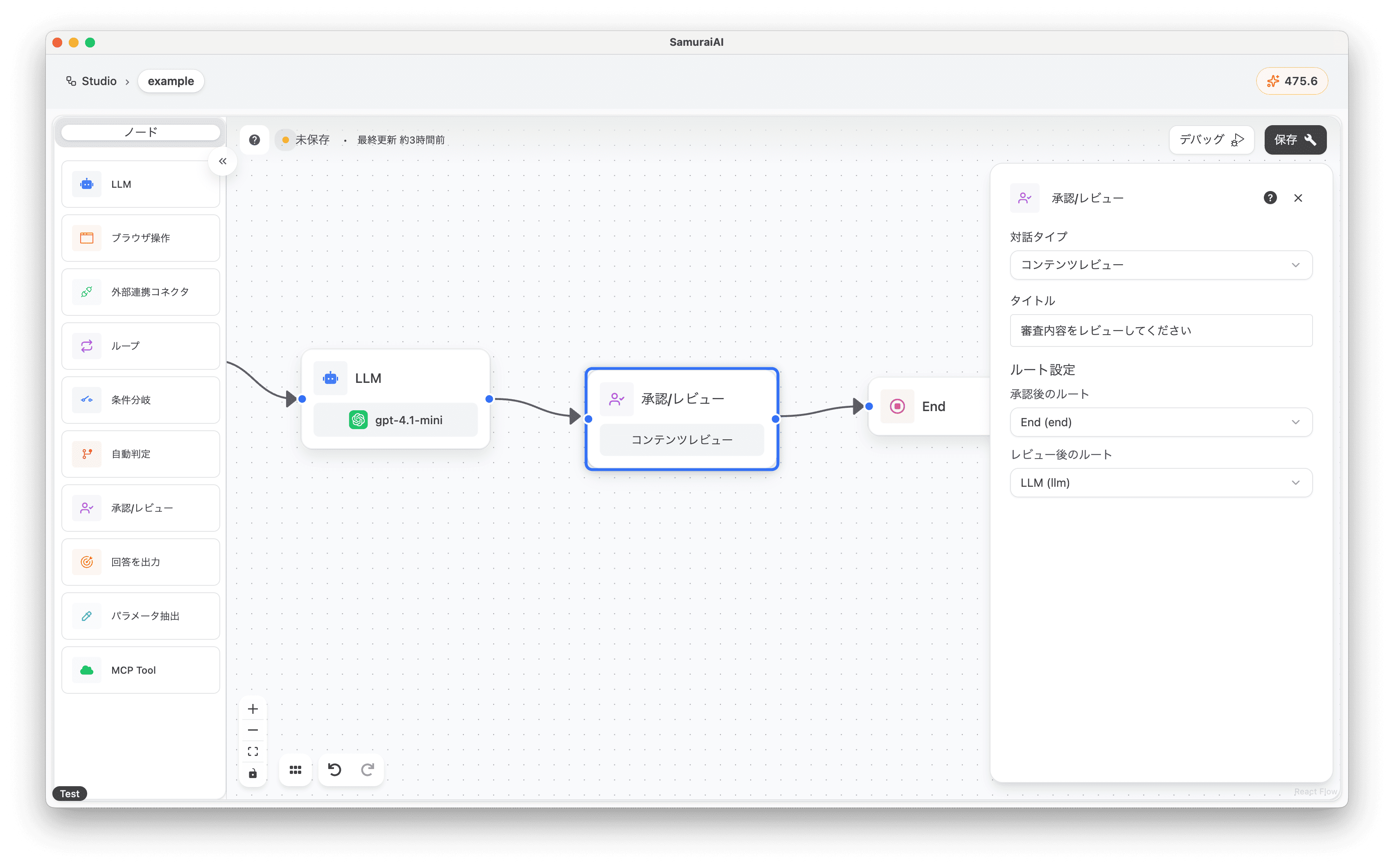
Section titled “Adding the Human Interaction Node”Next, add an Human Interaction node to the right of the LLM node with the following settings:
- Interaction Type: Content Review
- Title: Please review the audit content
- Route After Approval: End
- Route After Review: LLM
About Interaction Types
Section titled “About Interaction Types”There are two interaction types to choose from:
- Content Review
- For having users confirm and approve content generated by AI. For example, having humans review text or data created by AI in the previous node, and re-execute if necessary.
- Request Information from Human
- For having users input specific information. For example, having users input information needed for AI to proceed with processing (e.g., email address, additional product information), and then using that information in the next node.
Overall Workflow
Section titled “Overall Workflow”The final workflow looks like this:
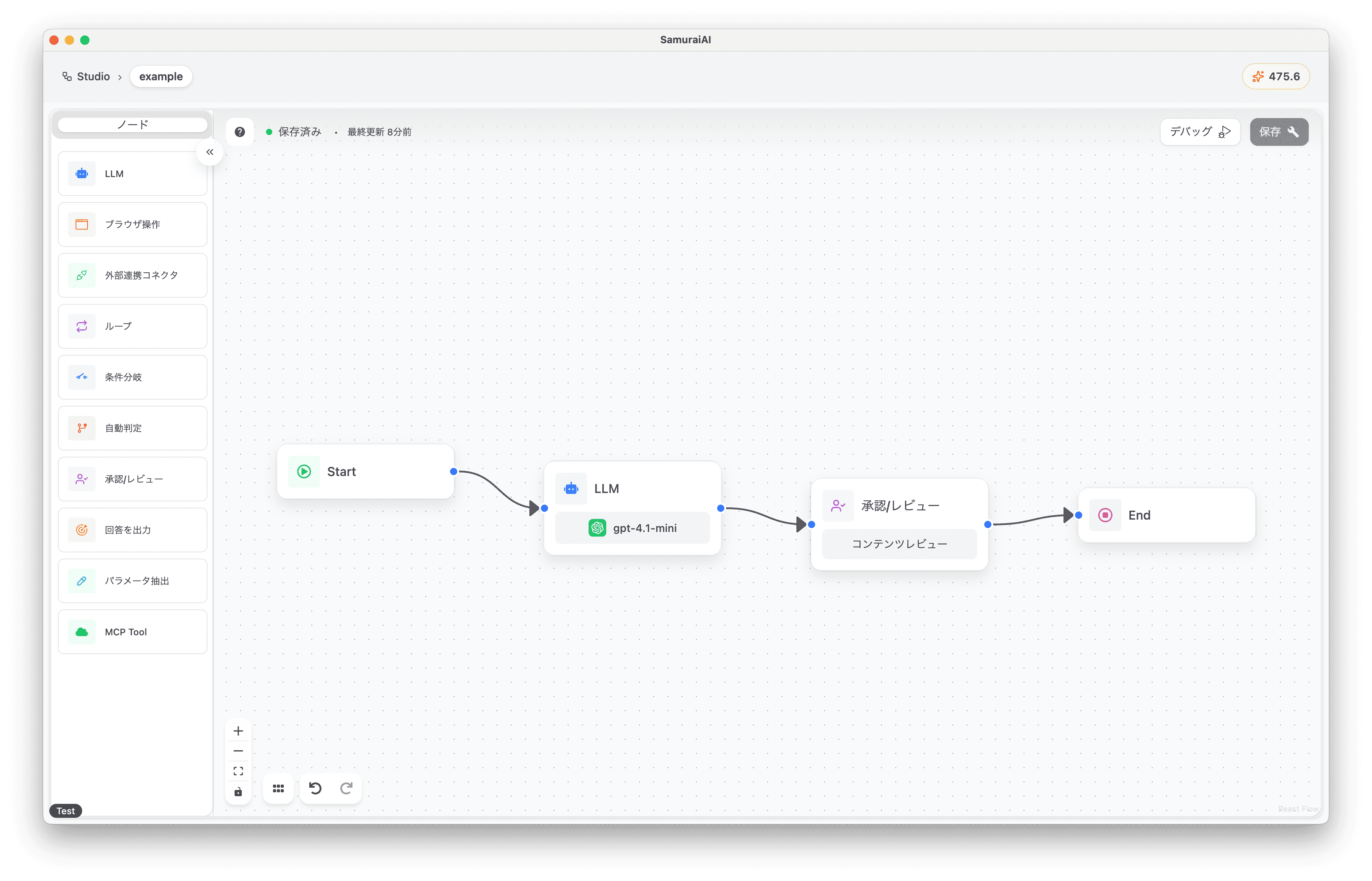
Running the Workflow
Section titled “Running the Workflow”Now you’re ready! Click the debug button to run the workflow.
In the first process, the LLM will output the review results.
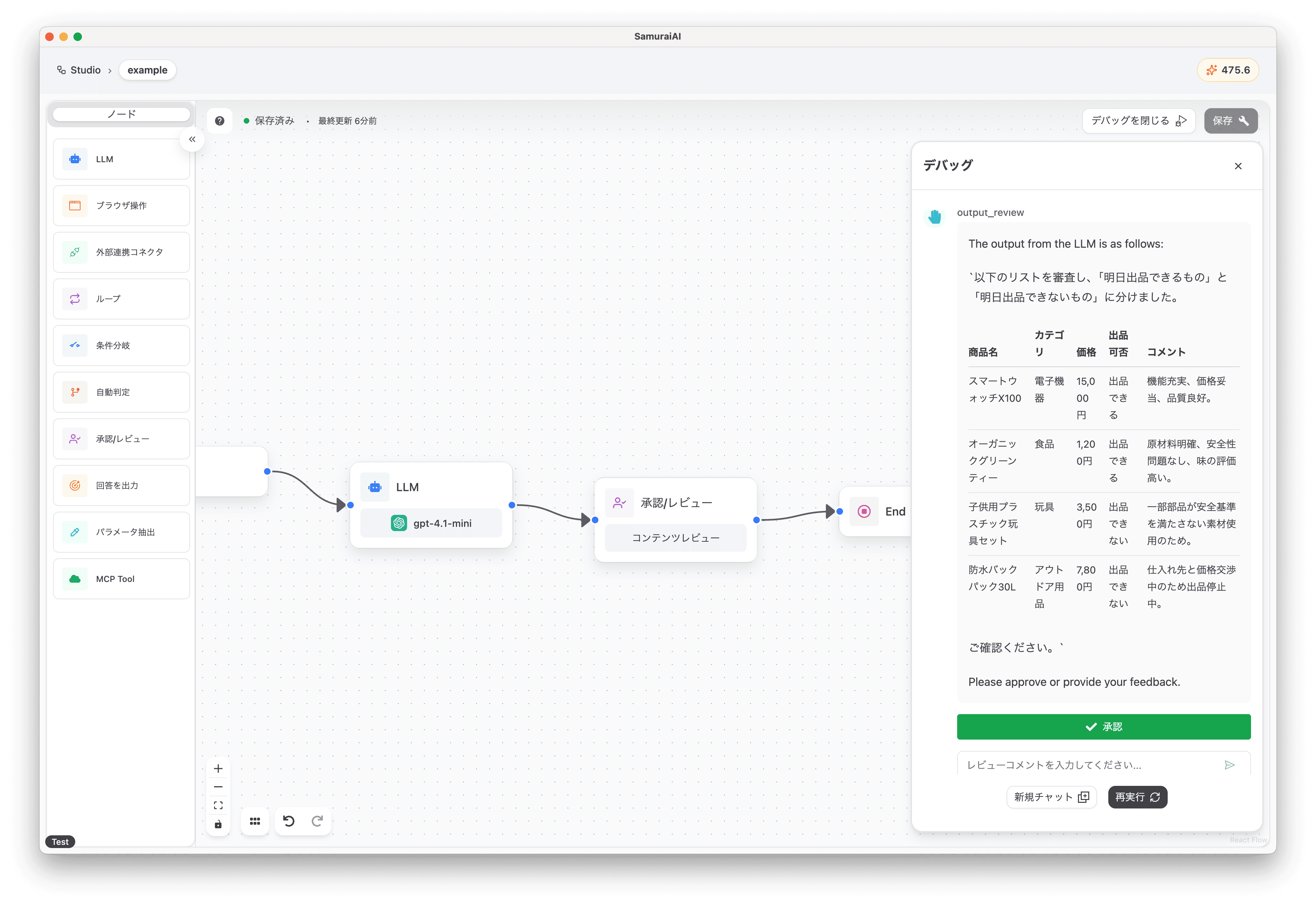
- Listable items
- Smart Watch X100
- Organic Green Tea
- Non-listable items
- Children’s Plastic Toy Set
- Waterproof Backpack 30L
Next, the process pauses at the Human Interaction node, requesting user approval or review. To try changing the review content, enter the following review comment and send it:
The price for the waterproof backpack has been decided, so please make it available for listing. Please output only the products that can be listed.After sending the review comment and completing the re-review, the Waterproof Backpack 30L, which was previously judged as non-listable, has been approved for listing!
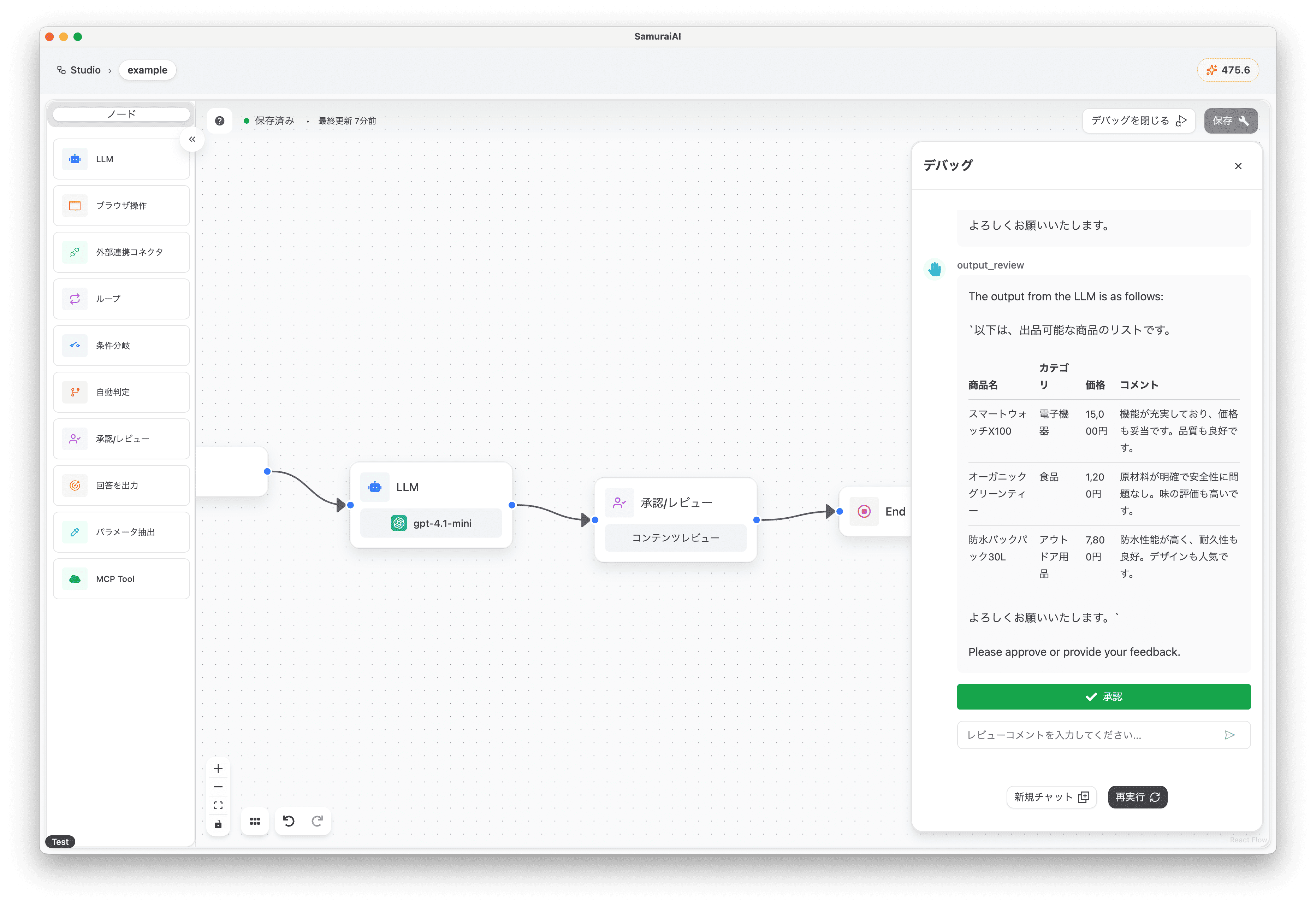
After that, if there are no issues with the review content, press “Approve” to move on to the next process (End).
Trying the Request Information from Human Interaction Type
Section titled “Trying the Request Information from Human Interaction Type”Next, let’s try the Request Information from Human interaction type.
Add an LLM node to the right of the Human Interaction node and copy and paste the following prompt:
Output product name and price from product data. Consider additional information.
# Product Data{llm-1.response}
# Additional Information{human-1.response}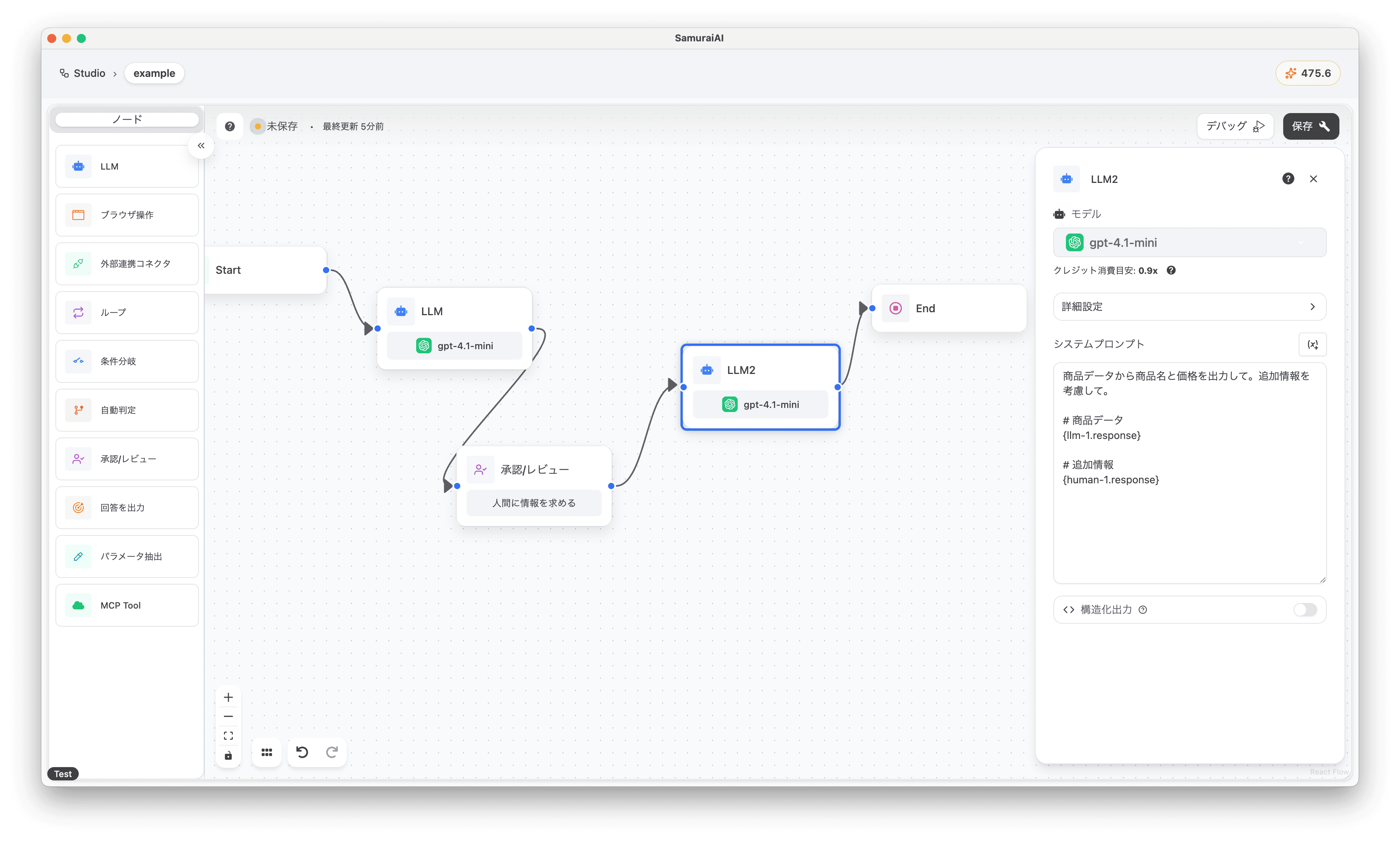
Next, change the Human Interaction node settings as follows:
- Interaction Type: Request Information from Human
- Title: Please enter additional information
- Route After Input: LLM2(llm)
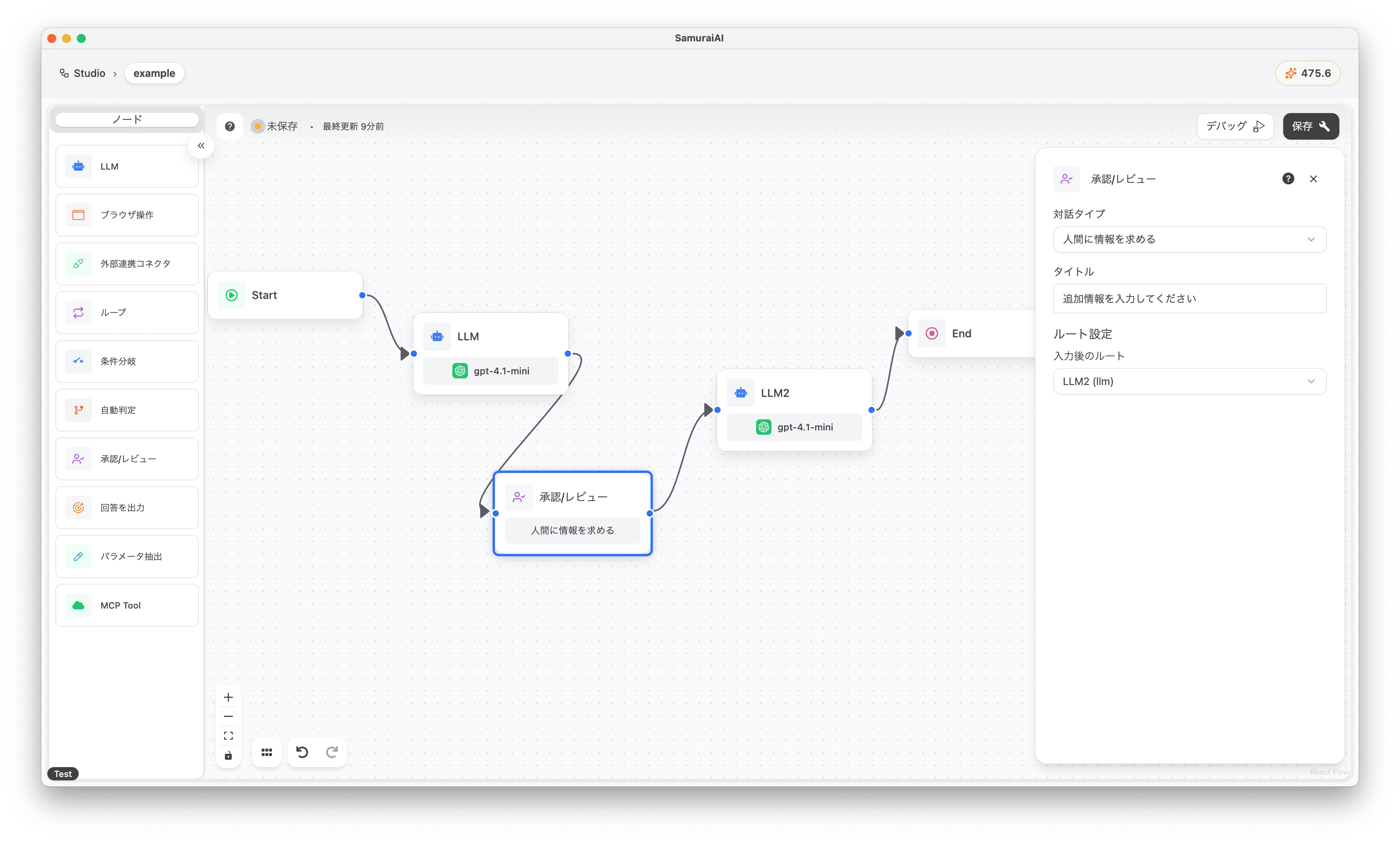
Now you’re ready! Run the workflow again. As before, the process pauses at the Human Interaction node, requesting additional information input. To try modifying the product price, enter the following review comment and send it:
The price of Smart Watch X100 is 1000 yenWith this, you can confirm that in the final output, the price of Smart Watch X100 has been updated to 1000 yen.
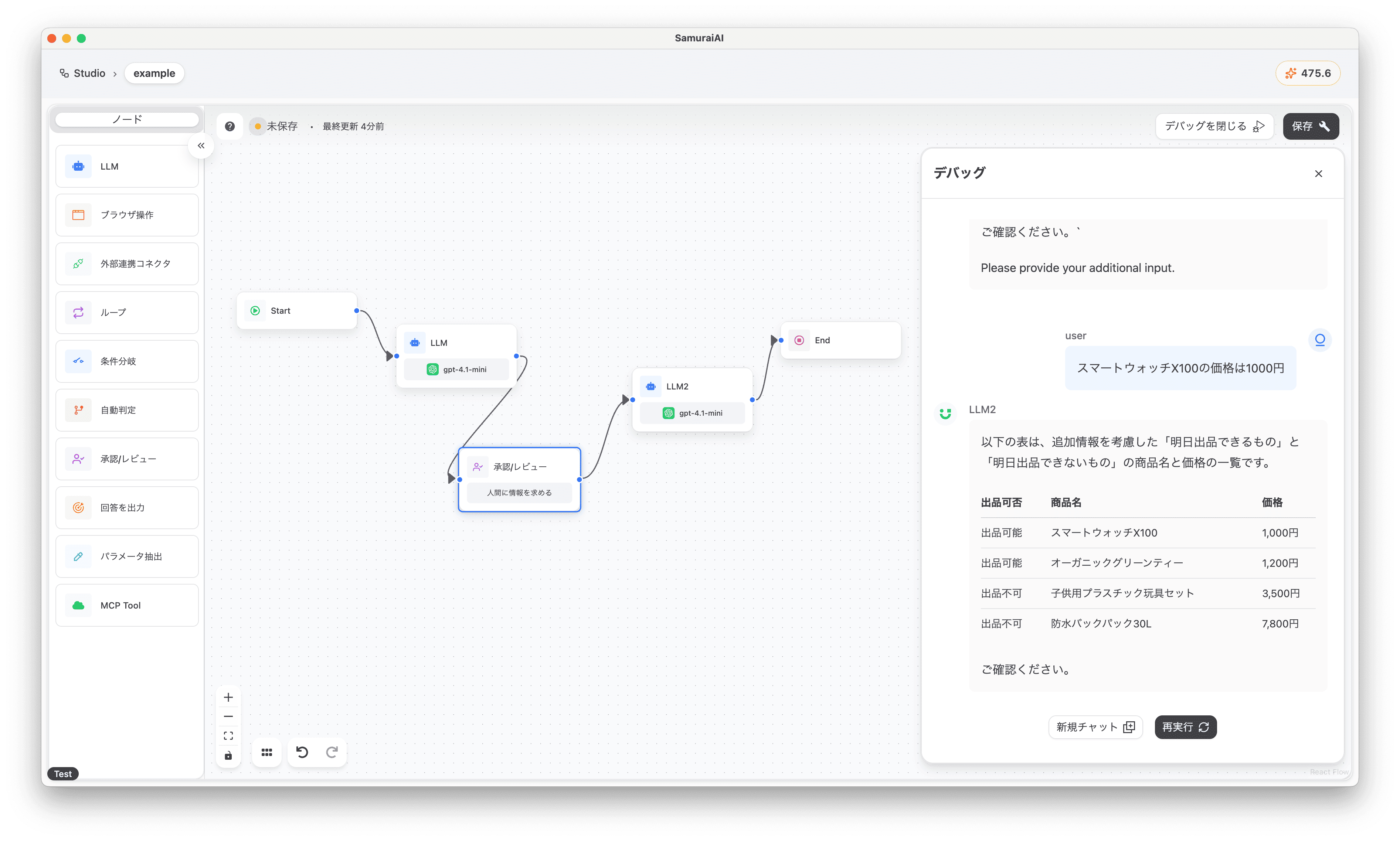
Last updated: