

Intent Recognition Node
The Intent Recognition node is a powerful tool for classifying intent from user input text or previous node information and generating appropriate responses based on that intent. Since classification is done automatically by AI, you can build flexible workflows without needing complex rule settings or conditional branches.
This tutorial introduces a “workflow that determines whether an inquiry is about payment and generates a reply email only for payment cases.”
Tutorial
Section titled “Tutorial”Preparing Demo Data
Section titled “Preparing Demo Data”First, create a new workflow in Studio.
Add an LLM node and copy and paste the following prompt:
Please output the following demo data.
## Demo Data・Test Corporation・Inquiry content: We have not yet confirmed this month's payment. Please confirm.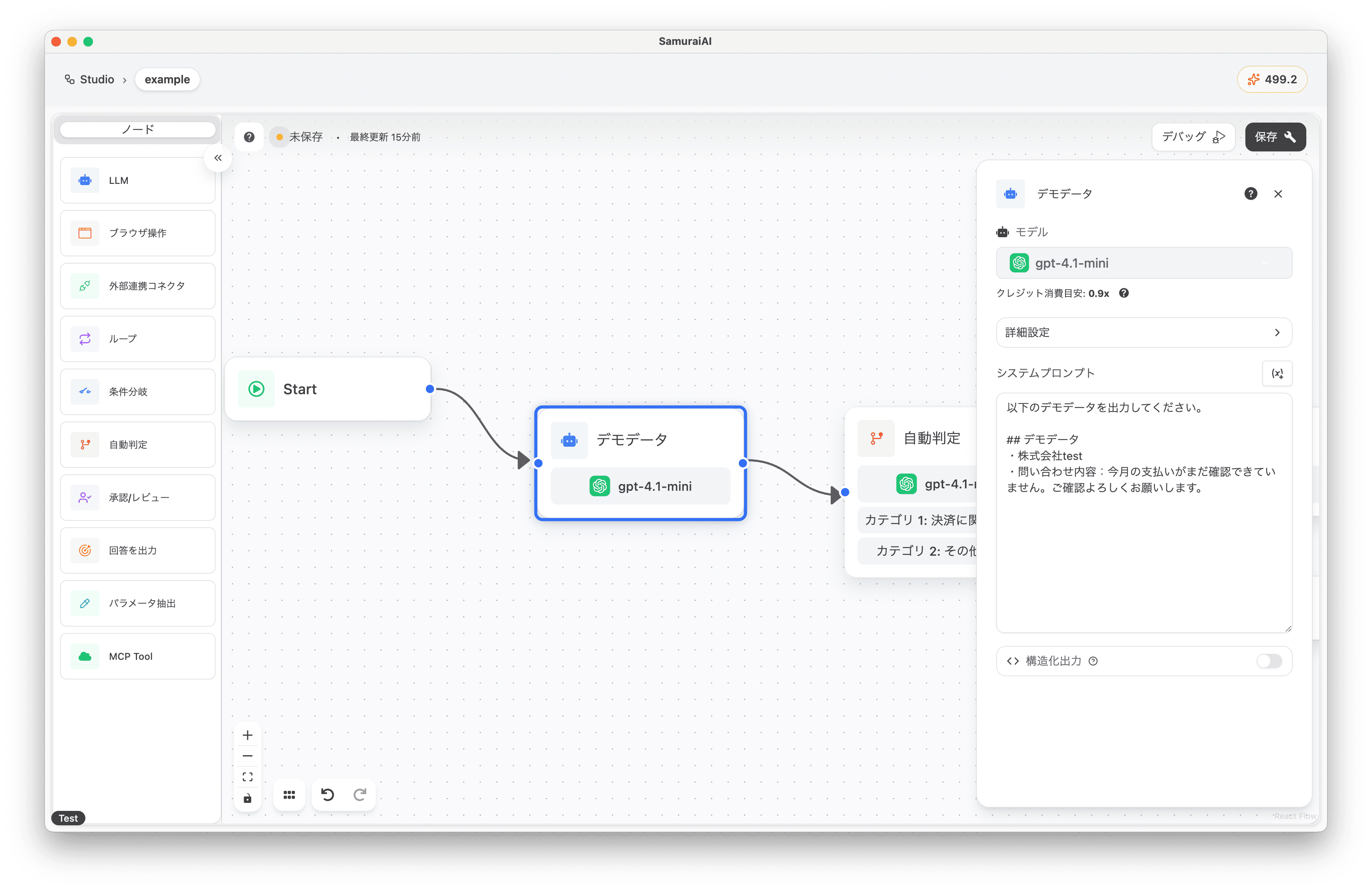
Adding the Intent Recognition Node
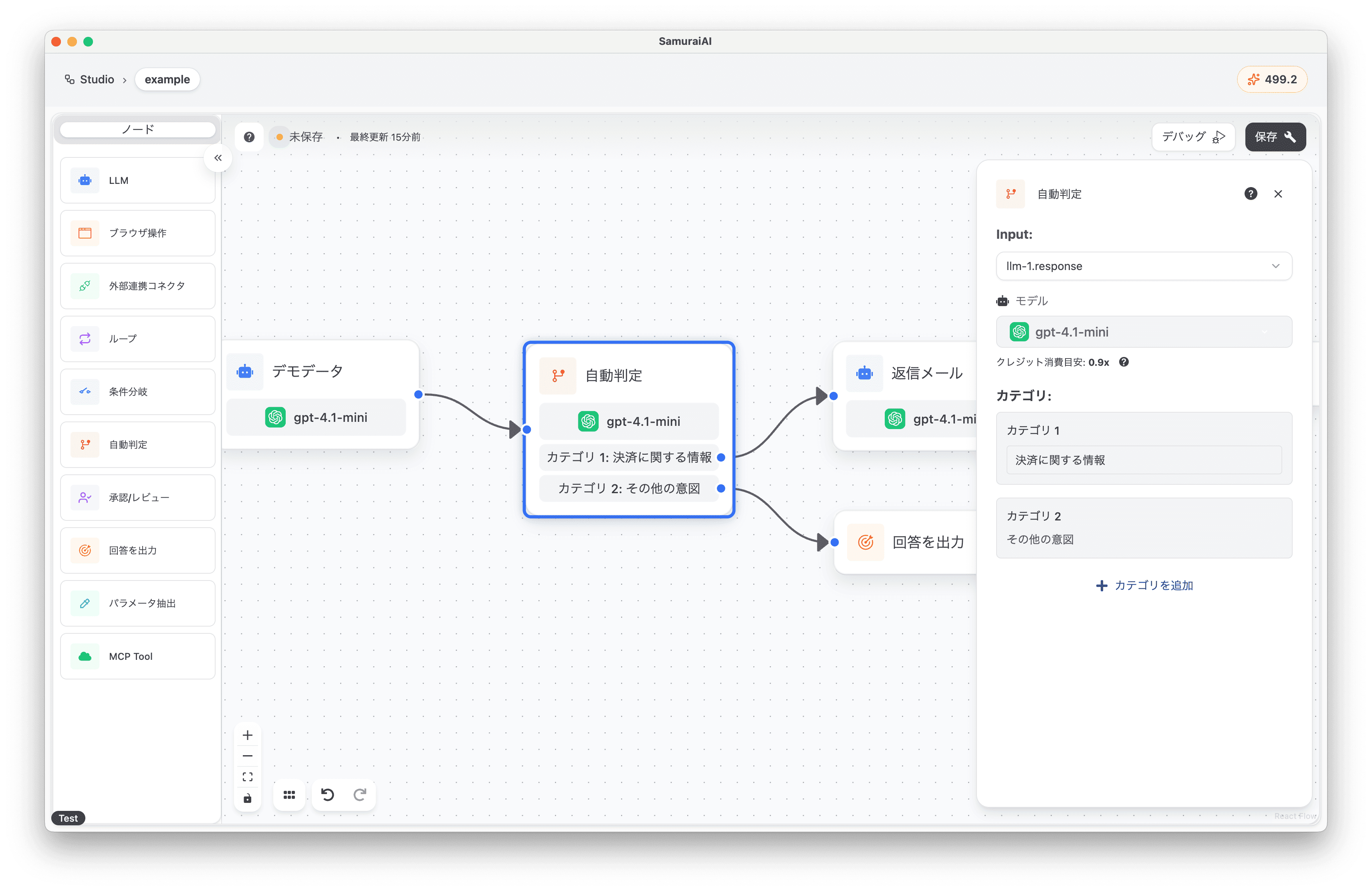
Section titled “Adding the Intent Recognition Node”Next, add an Intent Recognition node to the right of the LLM node and configure the following settings:
- Input: llm-1.response (LLM node output)
- Category 1: Payment-related information
- Category 2: Other intents
Generating Reply Email Text
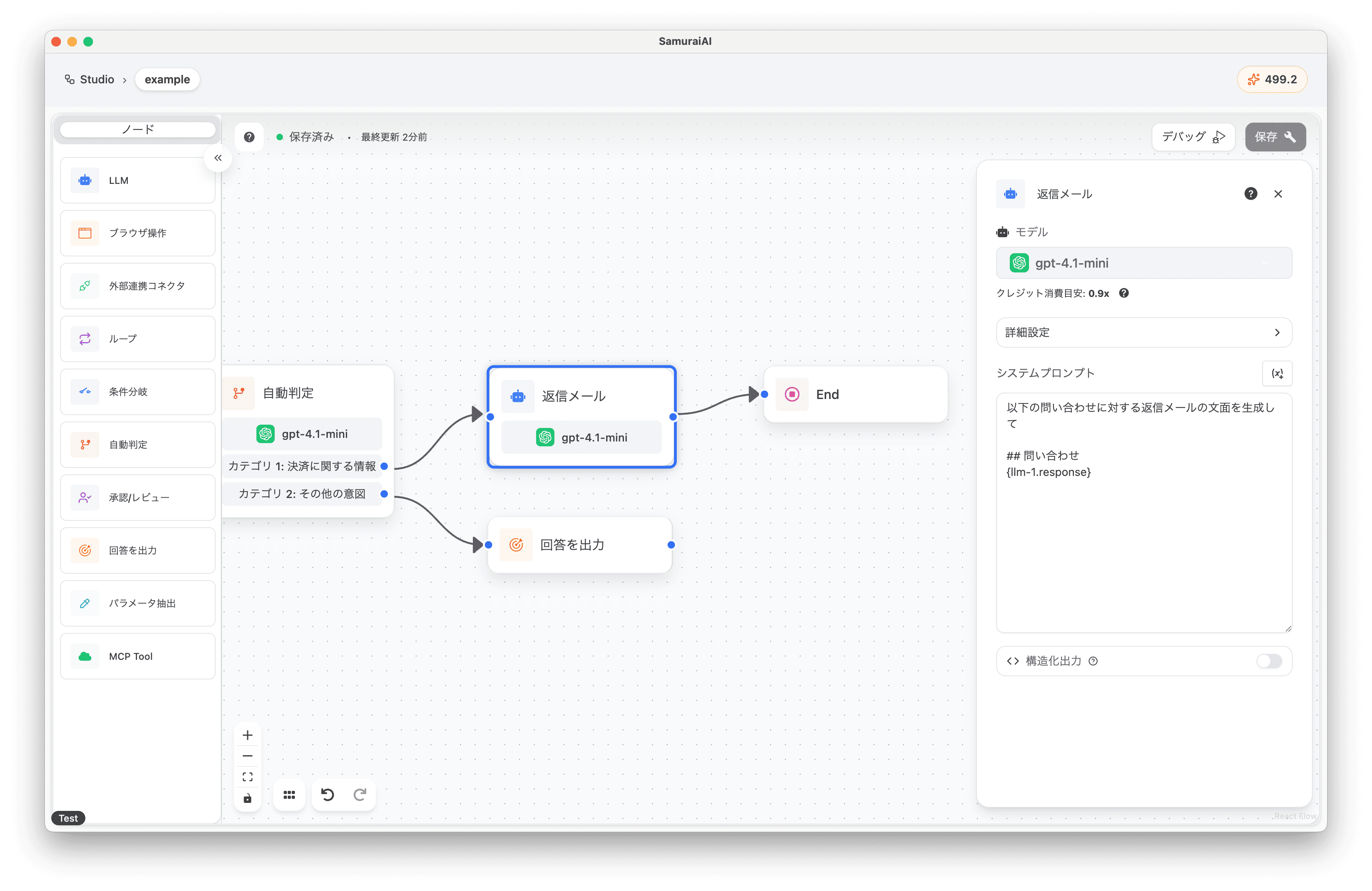
Section titled “Generating Reply Email Text”Furthermore, add an LLM node to the right of the Intent Recognition node and copy and paste the following prompt. This LLM node will only execute when the Intent Recognition node’s classification result is “Payment-related information”.
Generate a reply email text for the following inquiry
## Inquiry{llm-1.response}
Finally, set up a response for “Other intents”. Add an Answer Output node.
Overall Workflow
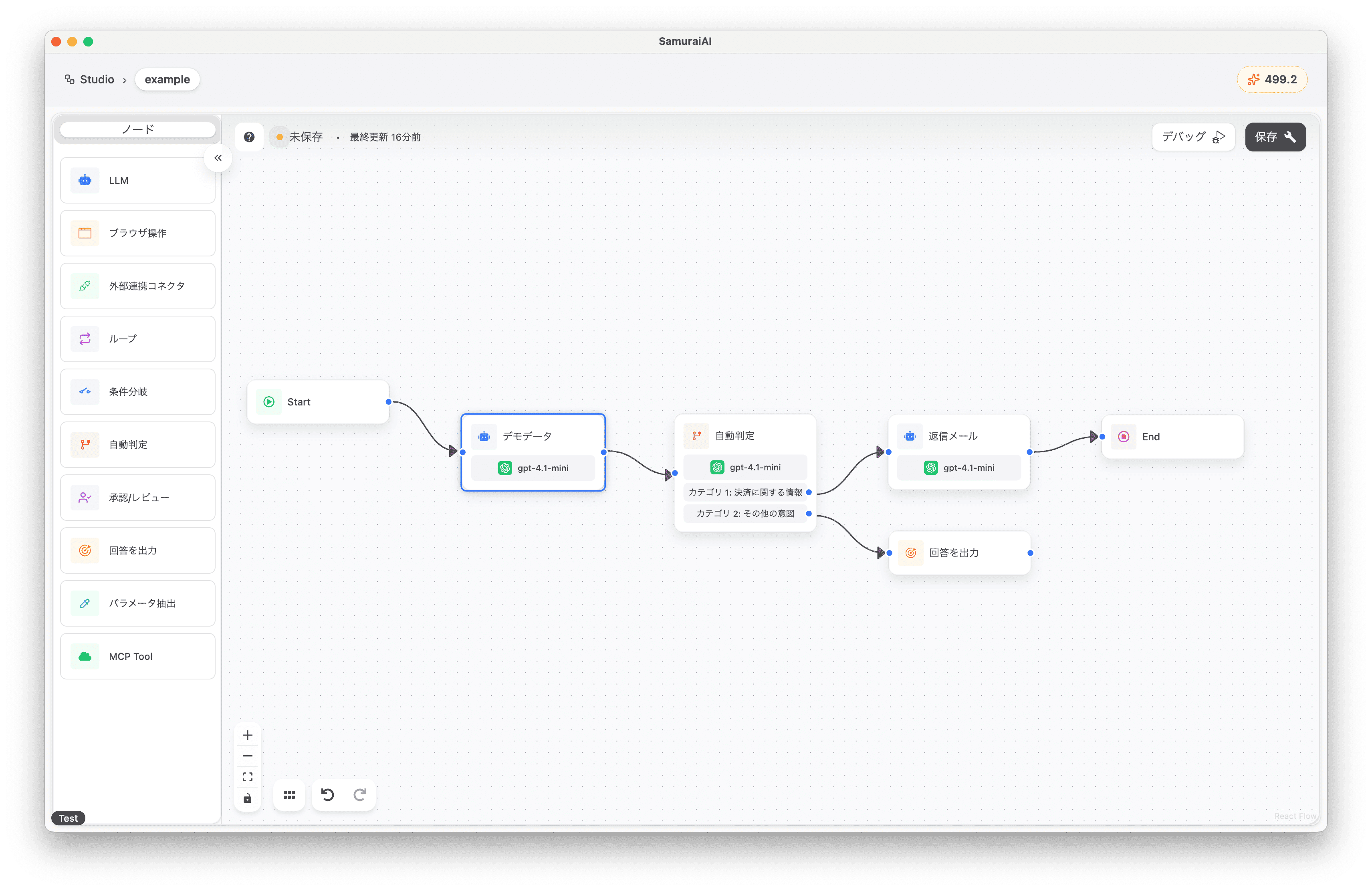
Section titled “Overall Workflow”The final workflow looks like this:
Running the Workflow
Section titled “Running the Workflow”Now you’re ready! Click the debug button to run the workflow. When executed, reply email text for a payment-related inquiry was output 🚀
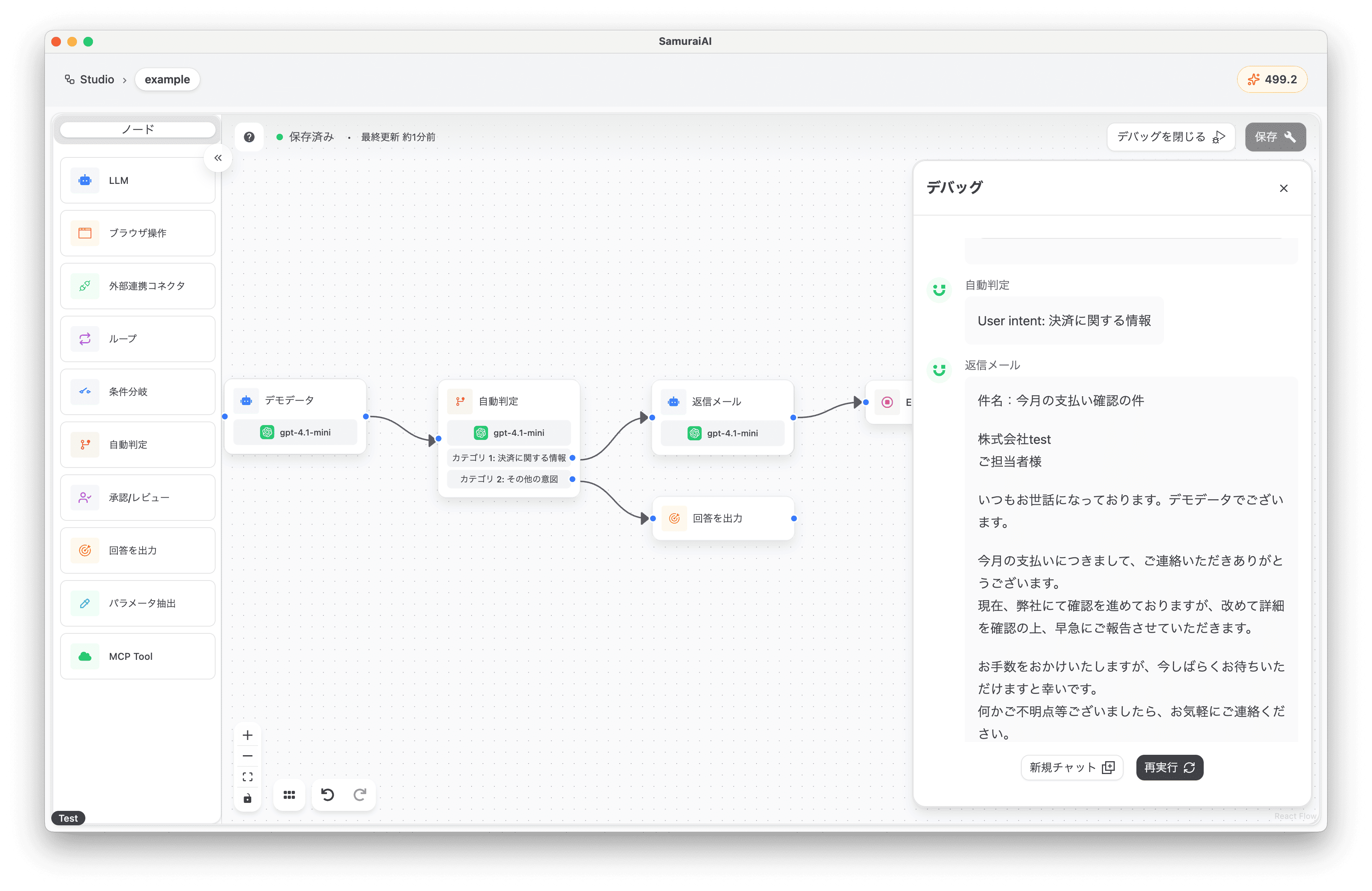
In this way, by utilizing the Intent Recognition node, you can easily build workflows that flexibly control subsequent processing. Please try it in various scenarios.
Last updated: