
Parameter Extraction Node
The Parameter Extraction node is a tool for extracting specific information from user input text or LLM responses. It’s useful for workflows that require structured data.
This tutorial introduces a “workflow that extracts specific information from LLM output data.”
Tutorial
Section titled “Tutorial”Preparing Demo Data
Section titled “Preparing Demo Data”First, create a new workflow in Studio.
Add an LLM node and copy and paste the following content into the node’s prompt:
Output the following product data
- Product Name: PC- Price: 20000 yen- Quantity: 1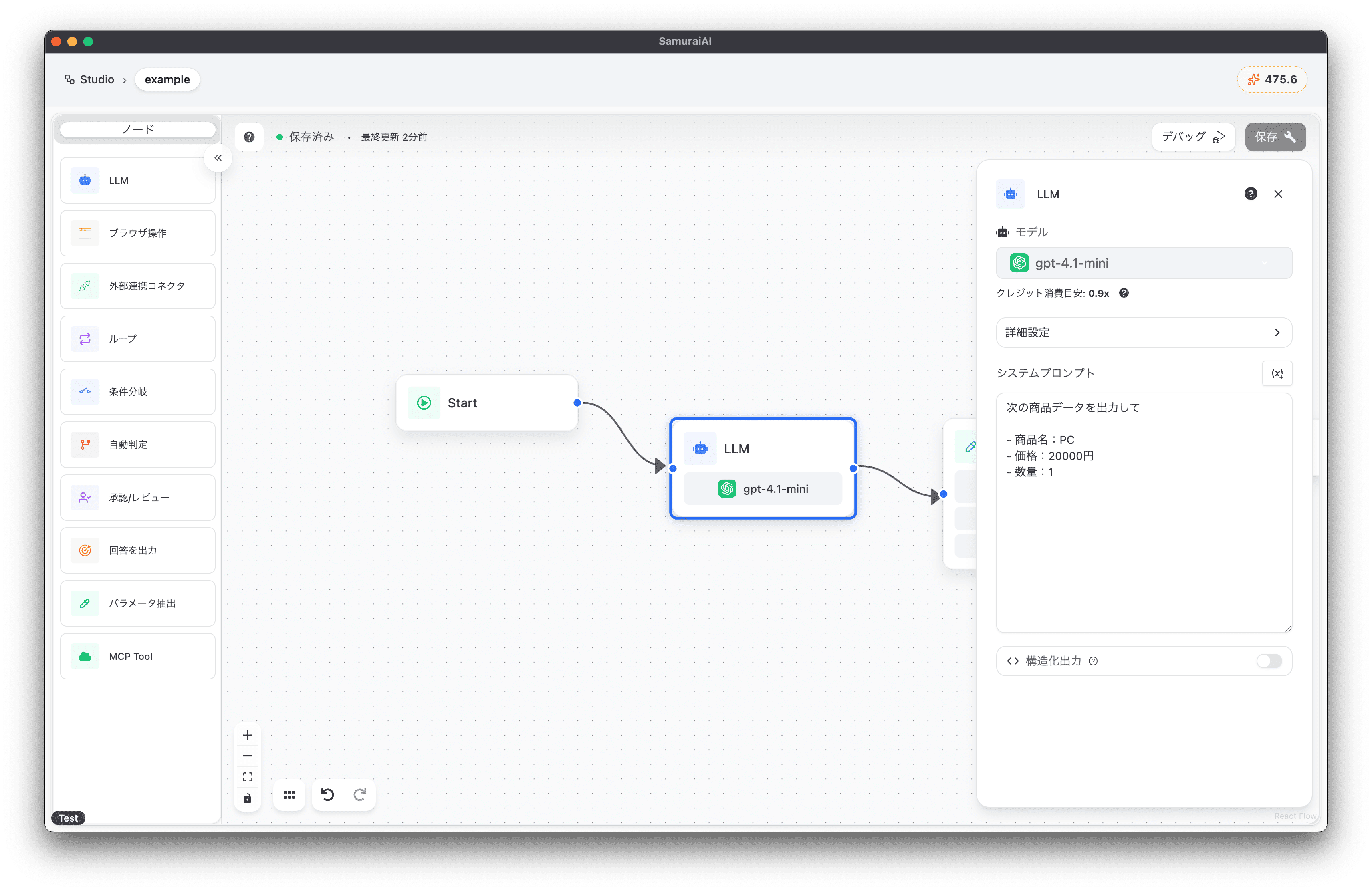
Parameter Extraction Node
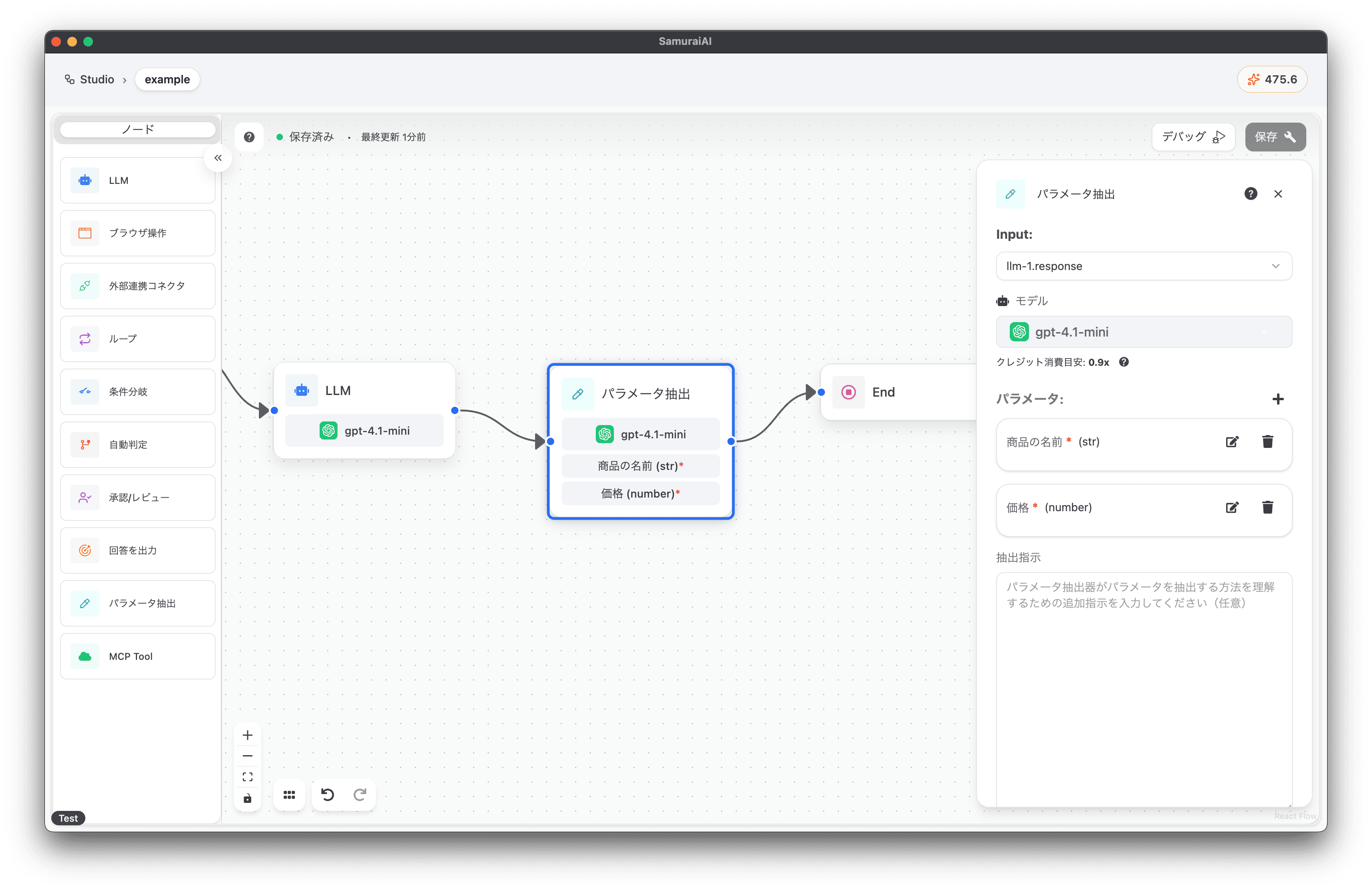
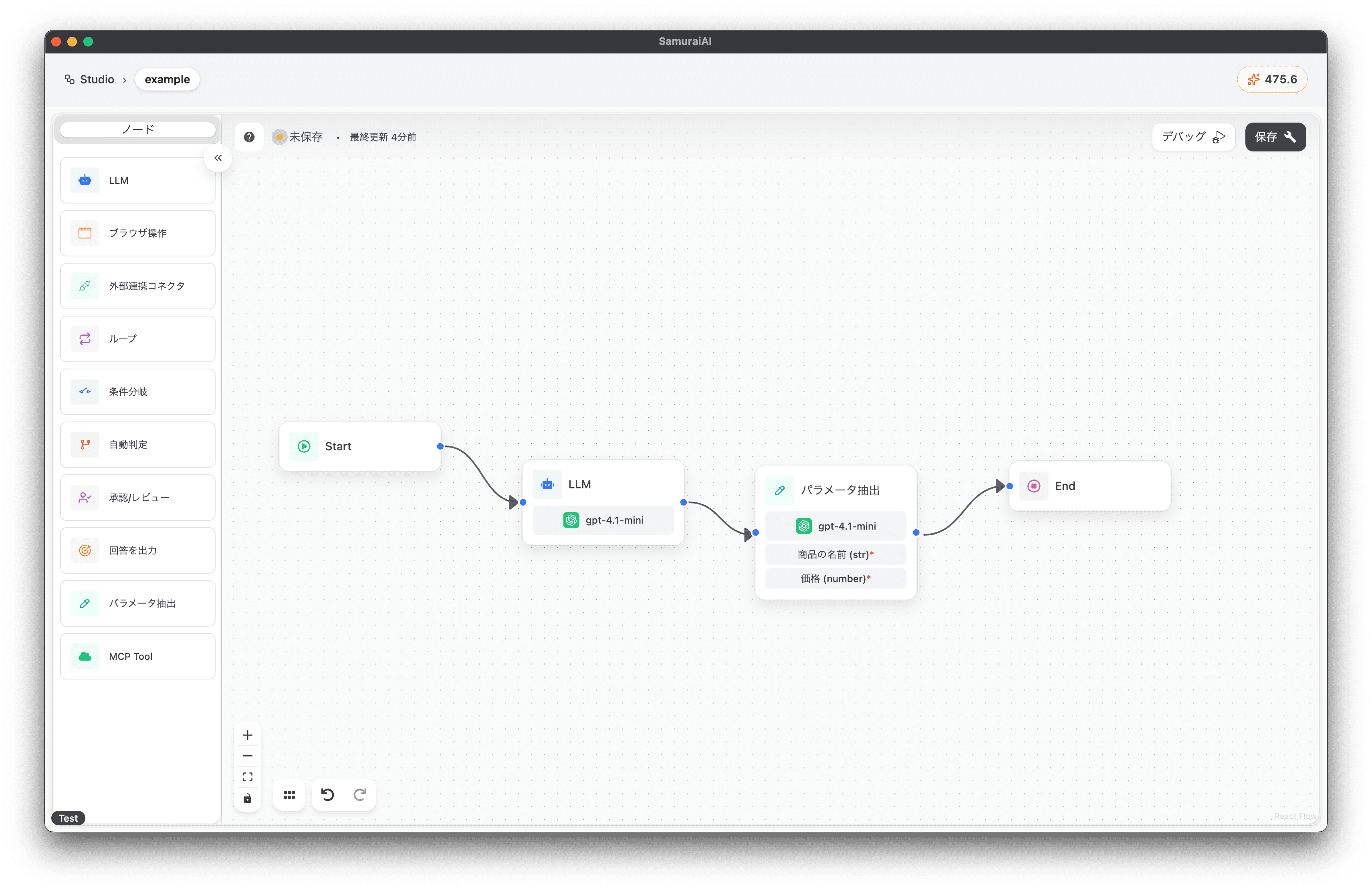
Section titled “Parameter Extraction Node”Next, add Parameter Extraction to the right of the LLM node and configure the following settings:
- Input: llm-1.response
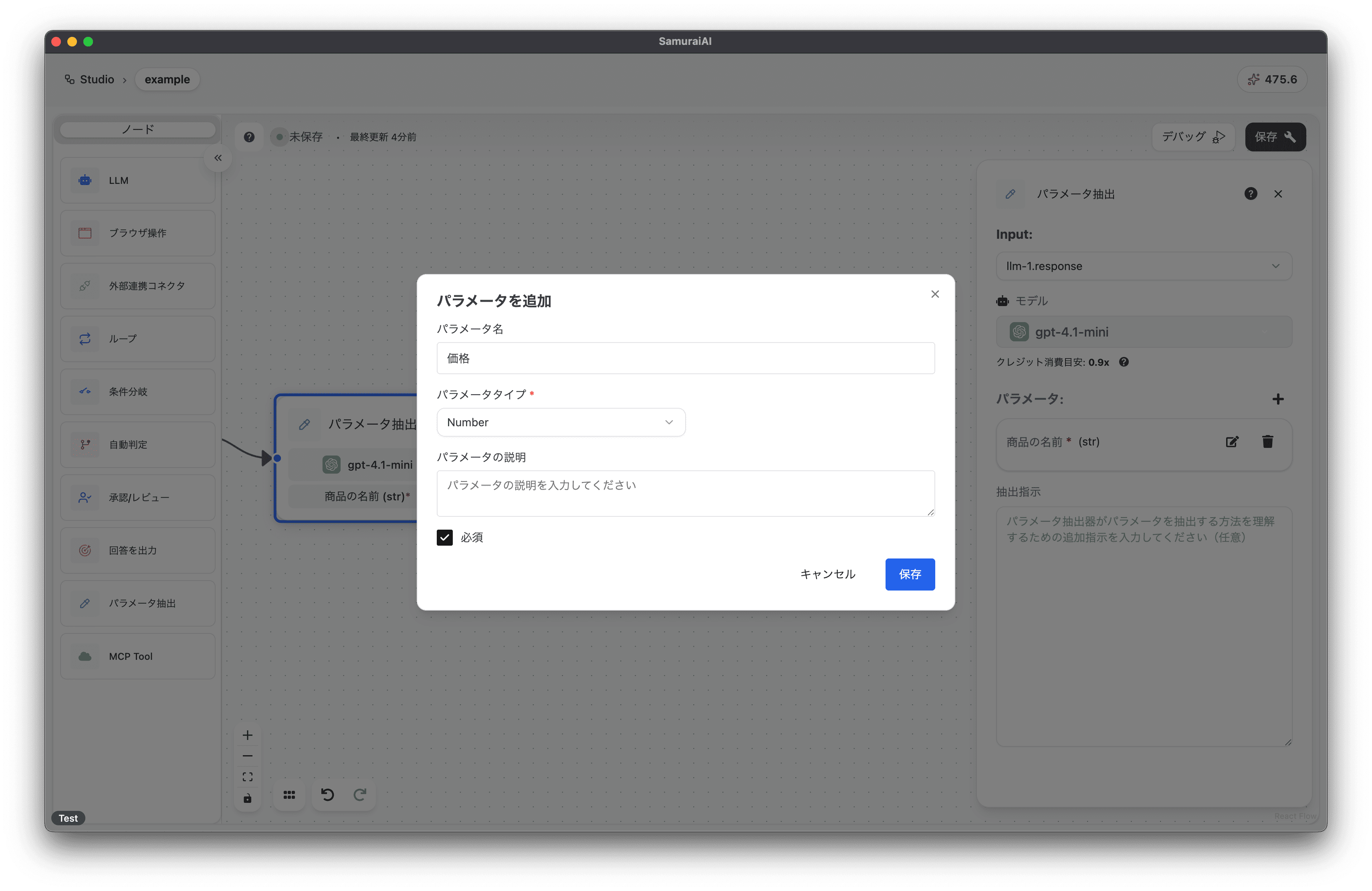
- Add Parameter
- Setting 01
- Parameter Name: Product Name
- Parameter Type: String
- Setting 02
- Parameter Name: Price
- Parameter Type: Number
- Setting 01
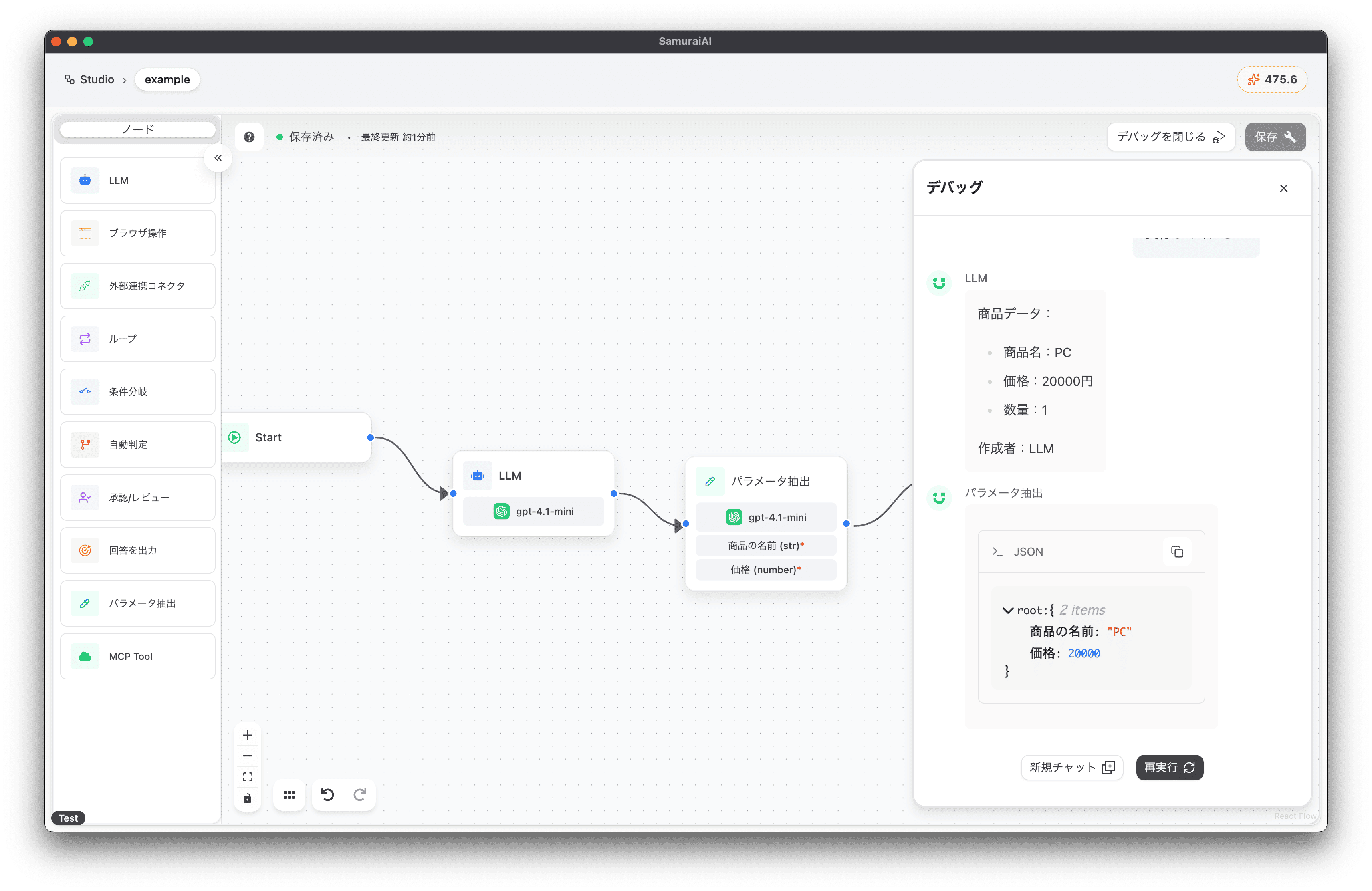
This allows you to map specific information in JSON format. This time, we’ll extract the product name as “Product Name” and the price as “Price”, ignoring the quantity.
Overall Workflow
Section titled “Overall Workflow”The final workflow looks like this:
Running the Workflow
Section titled “Running the Workflow”Now you’re ready! Click the debug button to run the workflow. When executed, we successfully extracted the product name and price 🚀
Last updated: