

Knowledge Base Feature
The Knowledge Base is a feature for utilizing external knowledge in a format suitable for AI. By registering information in the Knowledge Base beforehand, chatbots and LLM nodes can efficiently process while referencing a large amount of knowledge.
Use Cases
Section titled “Use Cases”Chatbot
Section titled “Chatbot”By combining the Knowledge Base with a chatbot, you can answer questions from users based on specific domain knowledge or FAQs.
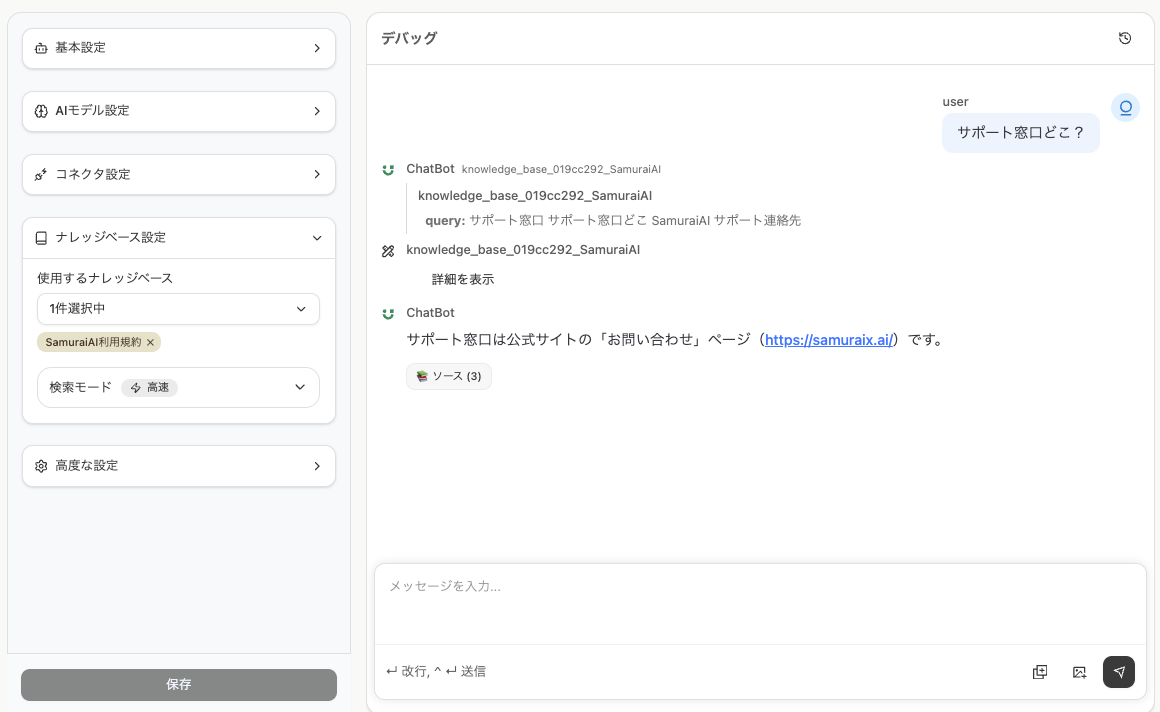
Knowledge Reference within Workflows
Section titled “Knowledge Reference within Workflows”Information registered in the Knowledge Base can be referenced in LLM nodes and other nodes. You can retrieve necessary knowledge from the Knowledge Base and use it for processing within your workflow.
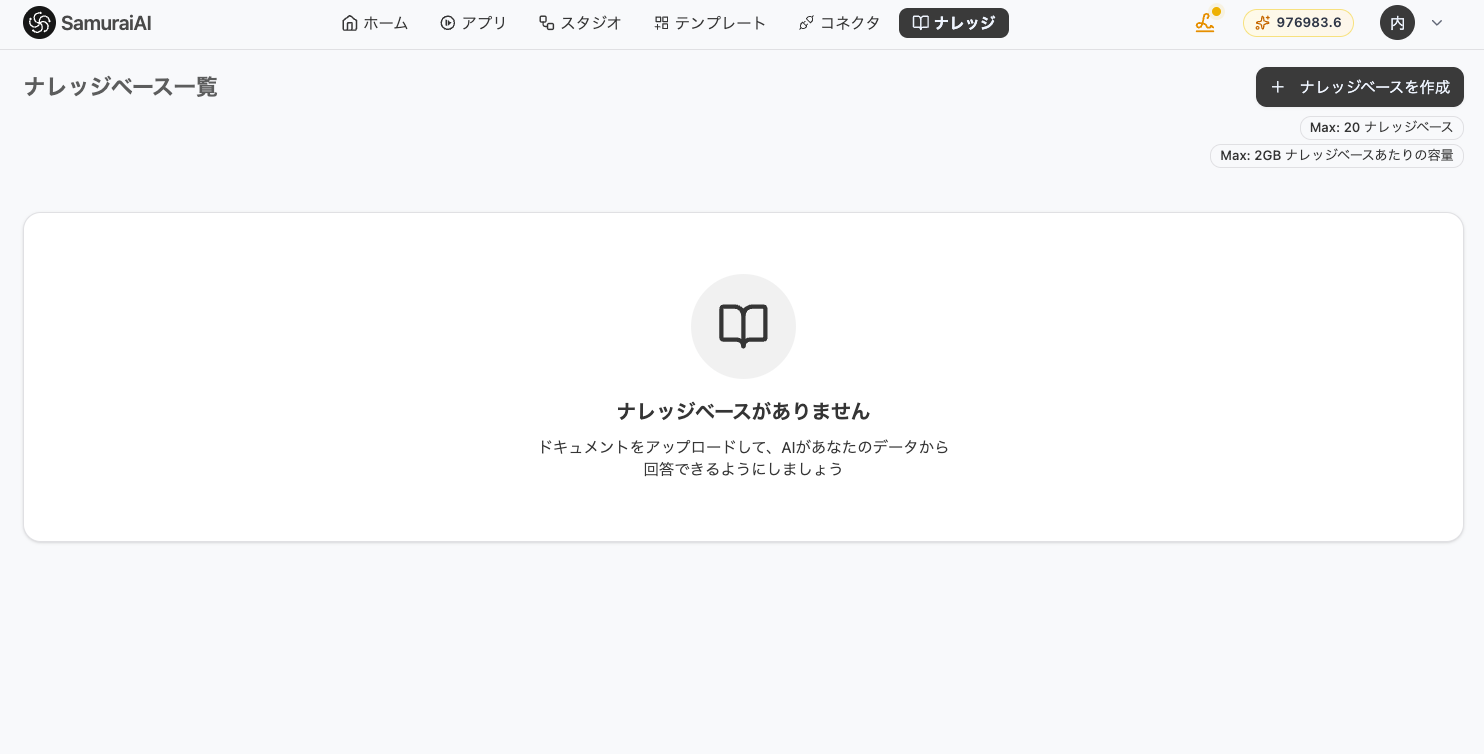
Creating a Knowledge Base
Section titled “Creating a Knowledge Base”Create a new Knowledge Base from the “Knowledge” tab.
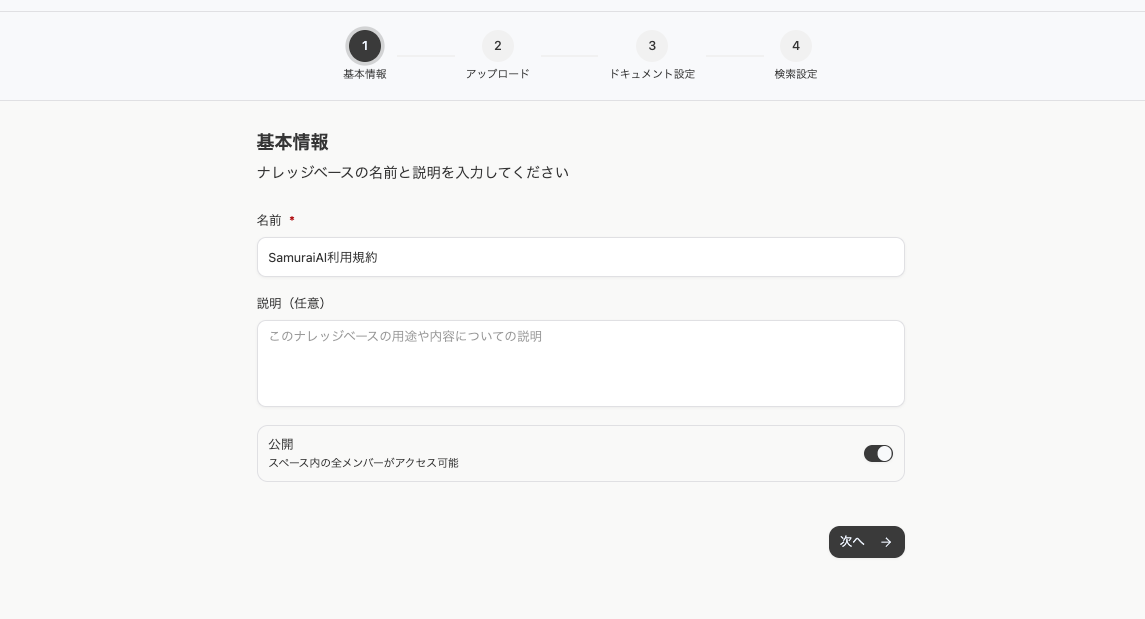
Setting Basic Information
Section titled “Setting Basic Information”Configure the basic information.
- Name: Enter the name of the Knowledge Base.
- Description: Enter text that describes the content of the Knowledge Base.
- Visibility: Select the visibility scope of the Knowledge Base. You can make it publicly available to all or limit it to specific users.
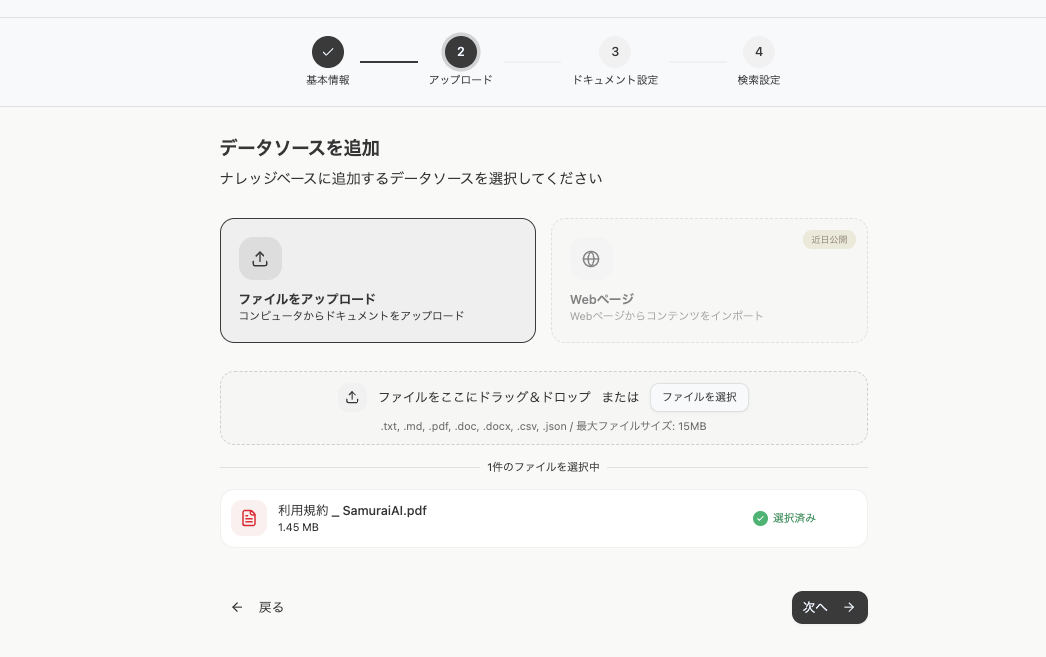
Adding Data Sources
Section titled “Adding Data Sources”Select and upload the data sources to add to the Knowledge Base. You can also upload multiple files at once.
Document Configuration
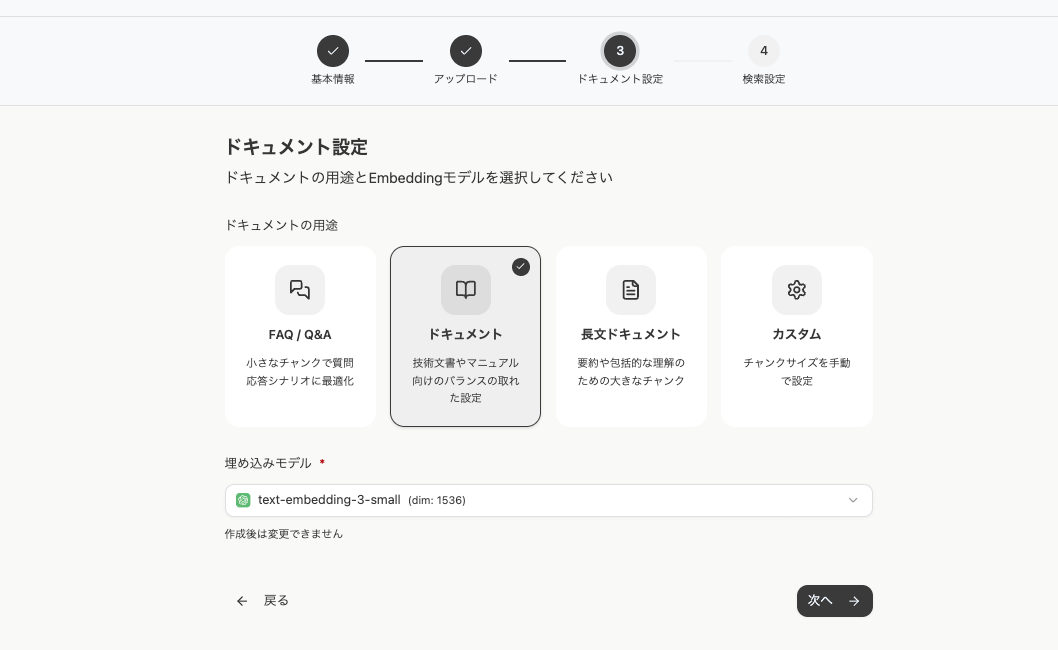
Section titled “Document Configuration”Select the purpose of the document and the embedding model. The embedding model is used to vectorize information in the Knowledge Base for use in search and similarity calculations. Larger vector dimensions (dim) allow for more detailed representation of information, but may take longer to process. Choose the appropriate model for your use case.
Search Settings
Section titled “Search Settings”Configure the search method for your Knowledge Base.
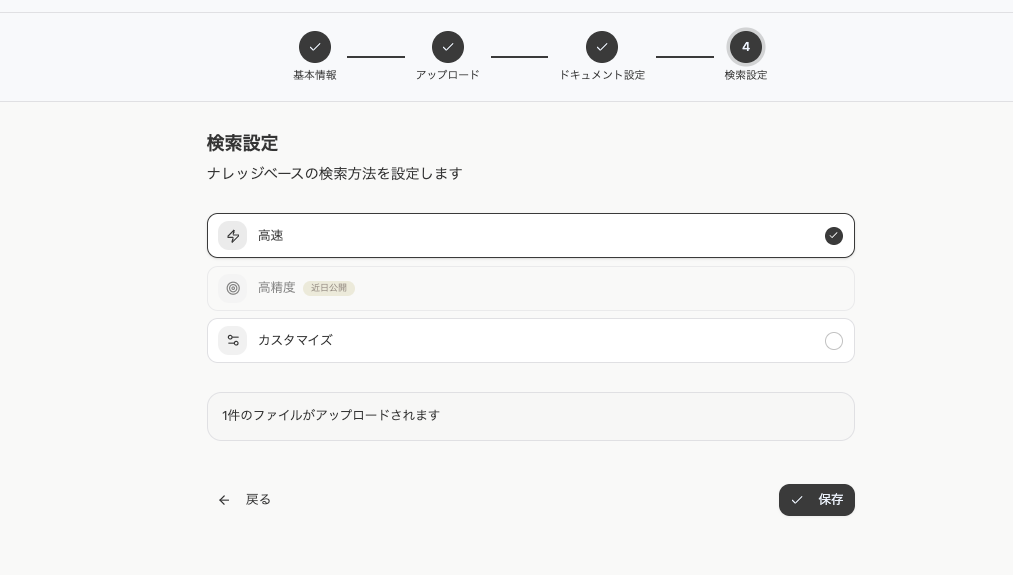
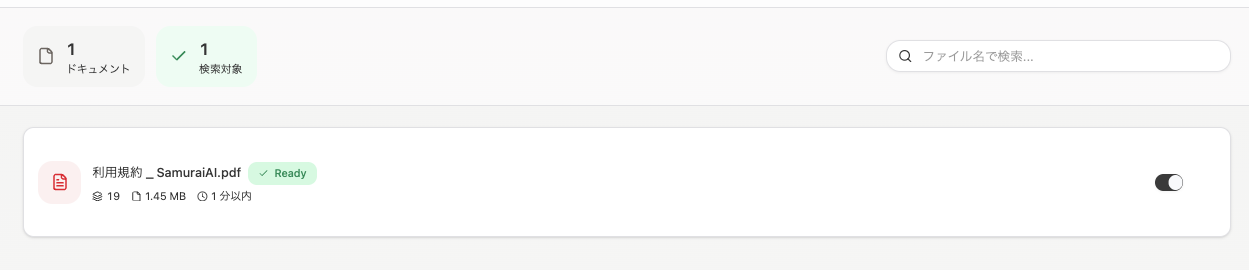
Once configuration is complete, save to create the Knowledge Base. Processing occurs in the background, and the Knowledge Base becomes available when complete.
Last updated: