

Structured Output
Structured Output is a feature that returns AI output in a format conforming to a specified JSON schema. It is useful when you want to use data in subsequent processing or iterate over data with a Loop node.
Supported Nodes
Section titled “Supported Nodes”Structured output can be used with the following nodes.
| Node | Notes |
|---|---|
| LLM Node | Available with all models |
| Agent Node | Available with all agents except Deep Research |
Enabling Structured Output
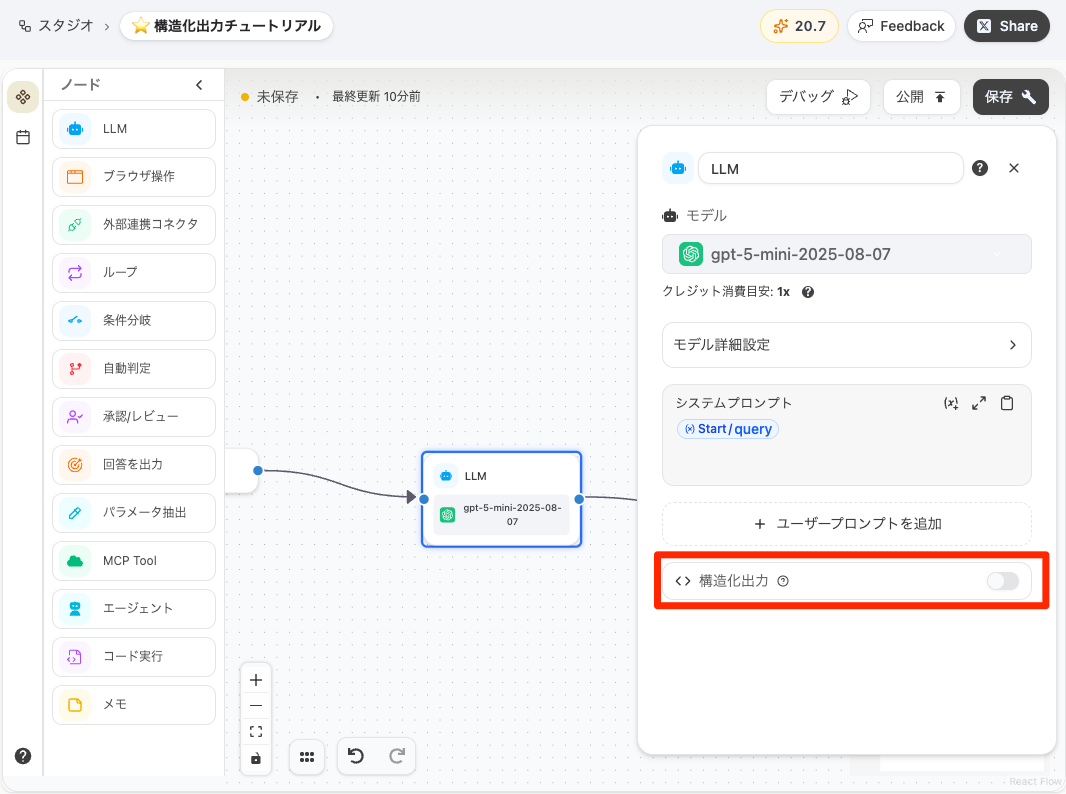
Section titled “Enabling Structured Output”Turn on the switch in the “Structured Output” section of the node settings panel to enable structured output.
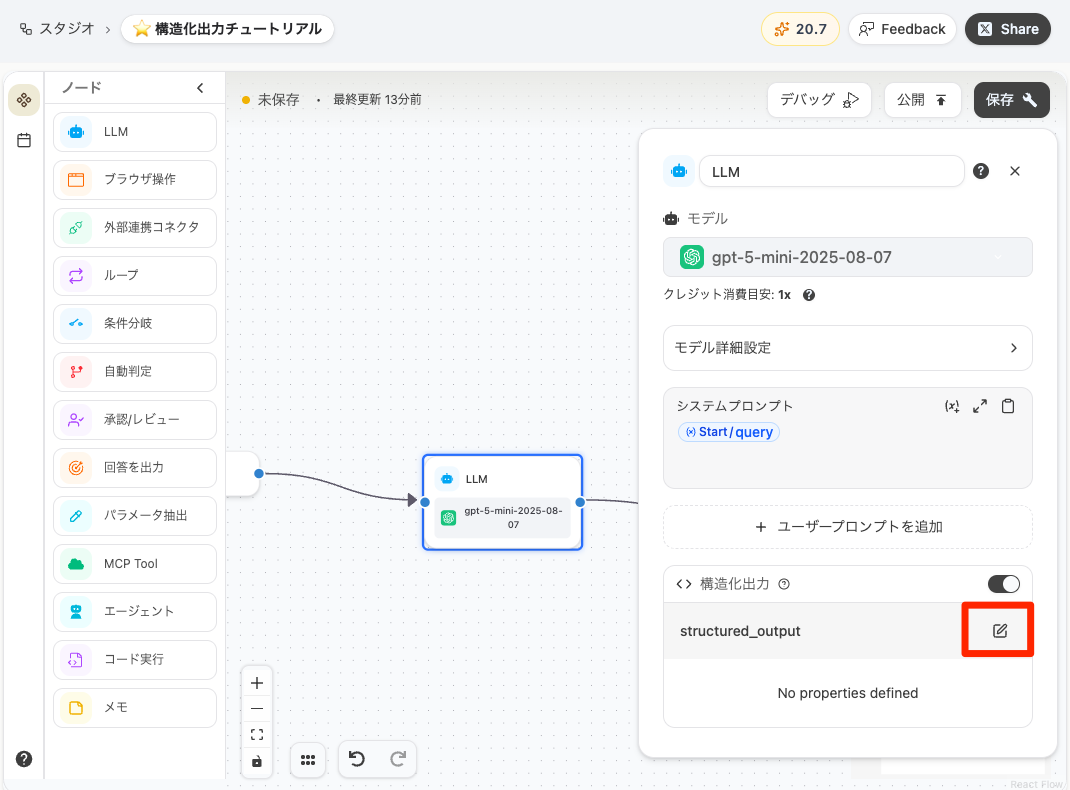
After turning on the switch, click the “Edit” icon to open the schema editor dialog.
How to Configure a Schema
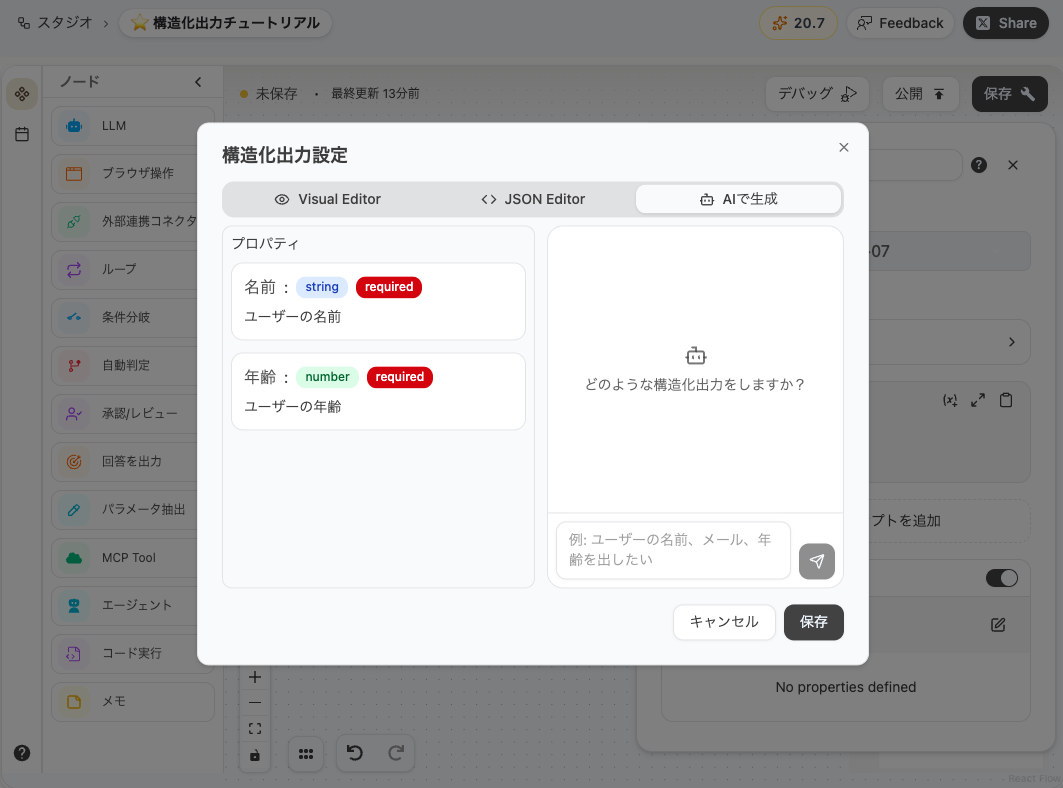
Section titled “How to Configure a Schema”The schema editor dialog offers three ways to create and edit schemas.
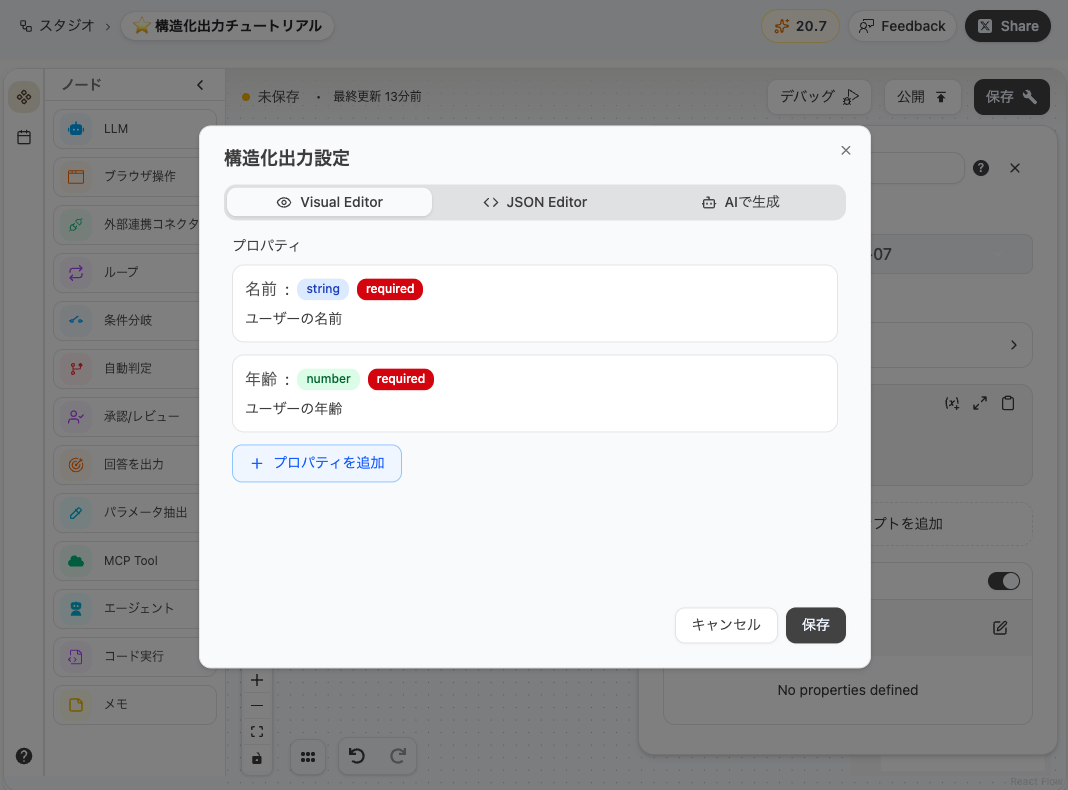
Visual Editor
Section titled “Visual Editor”A GUI-based editor for adding and editing properties. Build your schema by entering property names, types, and descriptions.
- Click the ”+” button to add a property
- Select a type (string / number / boolean / array / object)
- For object and array types, you can define nested properties
JSON Editor
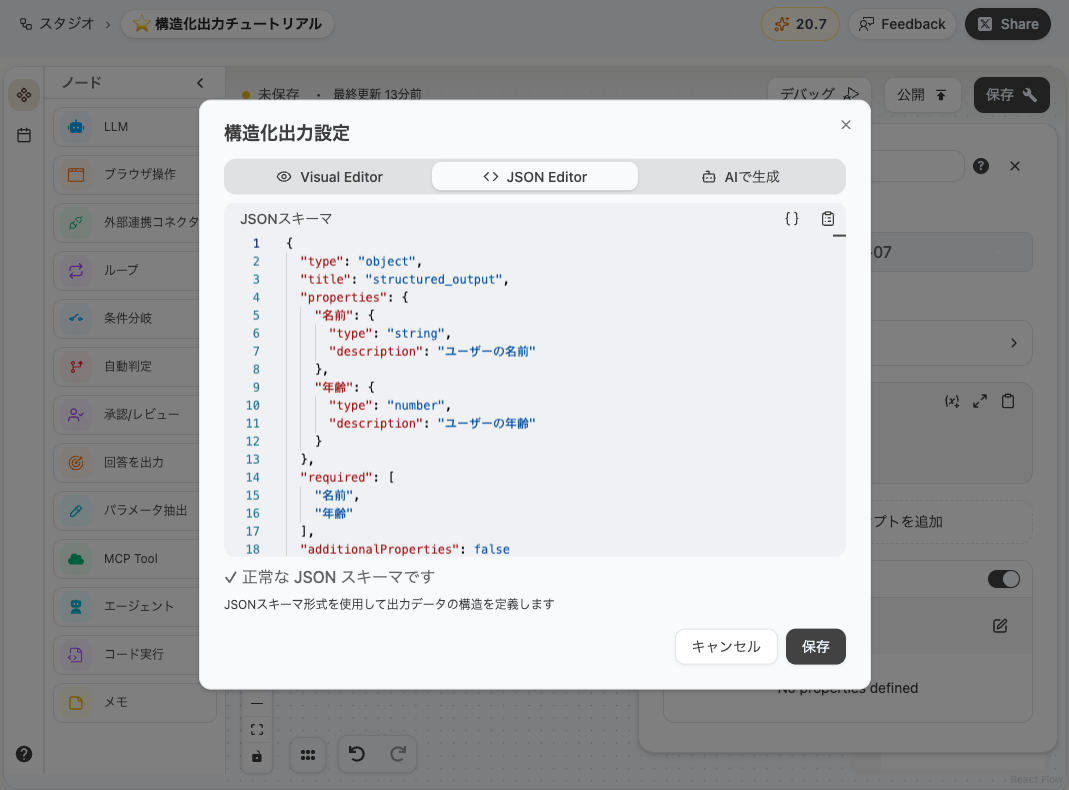
Section titled “JSON Editor”An editor for directly editing JSON Schema. It includes syntax highlighting and validation, so you can quickly catch any errors.
Generate with AI
Section titled “Generate with AI”Just tell the AI what kind of output you want in a chat format, and it will automatically generate a schema. You can use the generated schema as-is, or fine-tune it with the Visual Editor or JSON Editor.
Supported Types
Section titled “Supported Types”The following types can be specified for schema properties.
| Type | Description | Example |
|---|---|---|
| string | Text string | "Tokyo" |
| number | Numeric value | 42, 3.14 |
| boolean | Boolean value | true, false |
| array | Array (list) | ["A", "B", "C"] |
| object | Object (nested structure) | {"name": "Taro", "age": 30} |
Using Structured Output in Subsequent Nodes
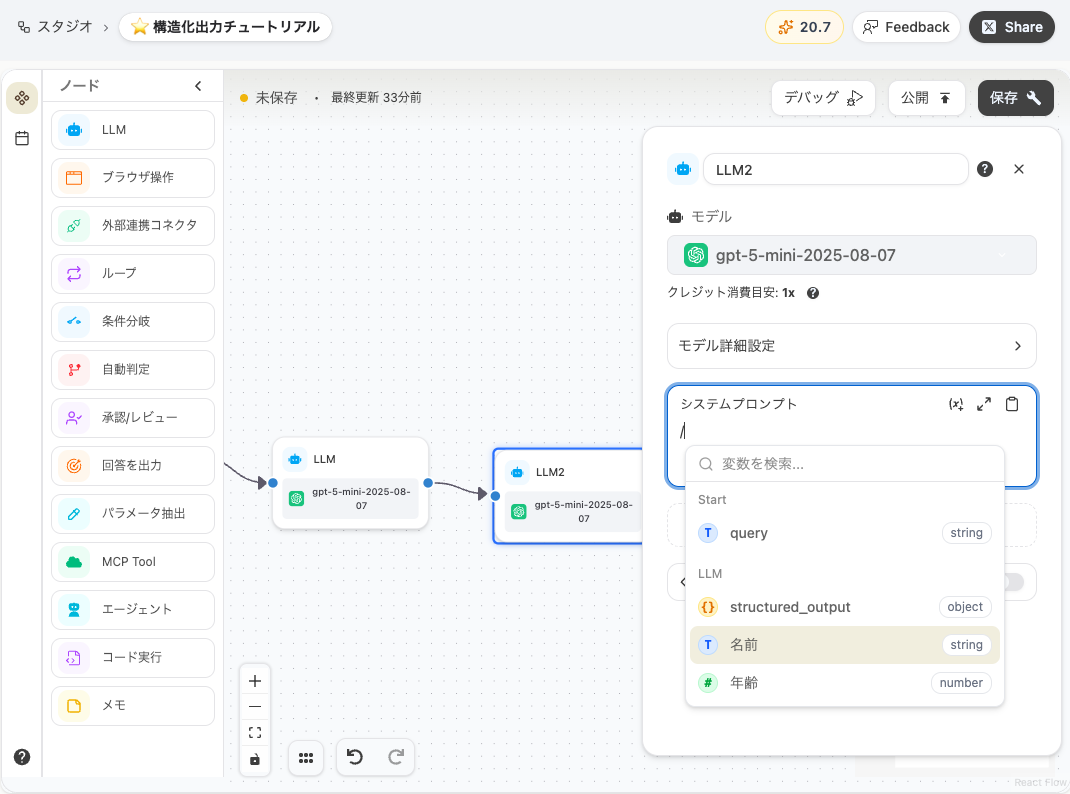
Section titled “Using Structured Output in Subsequent Nodes”Each field of a node configured with structured output can be referenced as a variable in subsequent nodes.
Type / in the prompt input field of a subsequent node to open the variable picker, which lists the fields defined under the previous node’s structured_output.
Best Practices
Section titled “Best Practices”Last updated: