

Start a Subscription
To continue using Samurai AI, you register your billing information and then start a subscription.
This article explains the flow from registering billing information on the settings screen to starting a subscription. It mainly covers the case where the payment method is bank transfer.
Overall Flow
Section titled “Overall Flow”Starting a subscription proceeds in the following flow.
- Register your “Billing Information”
- Start the subscription from “Subscription”
For credit card payment, you also need to register credit card information after step 1 (described later).
01. Register Billing Information
Section titled “01. Register Billing Information”Open “Settings”, then select “Billing Information” in the “Subscription” group of the left menu. Enter your billing details.
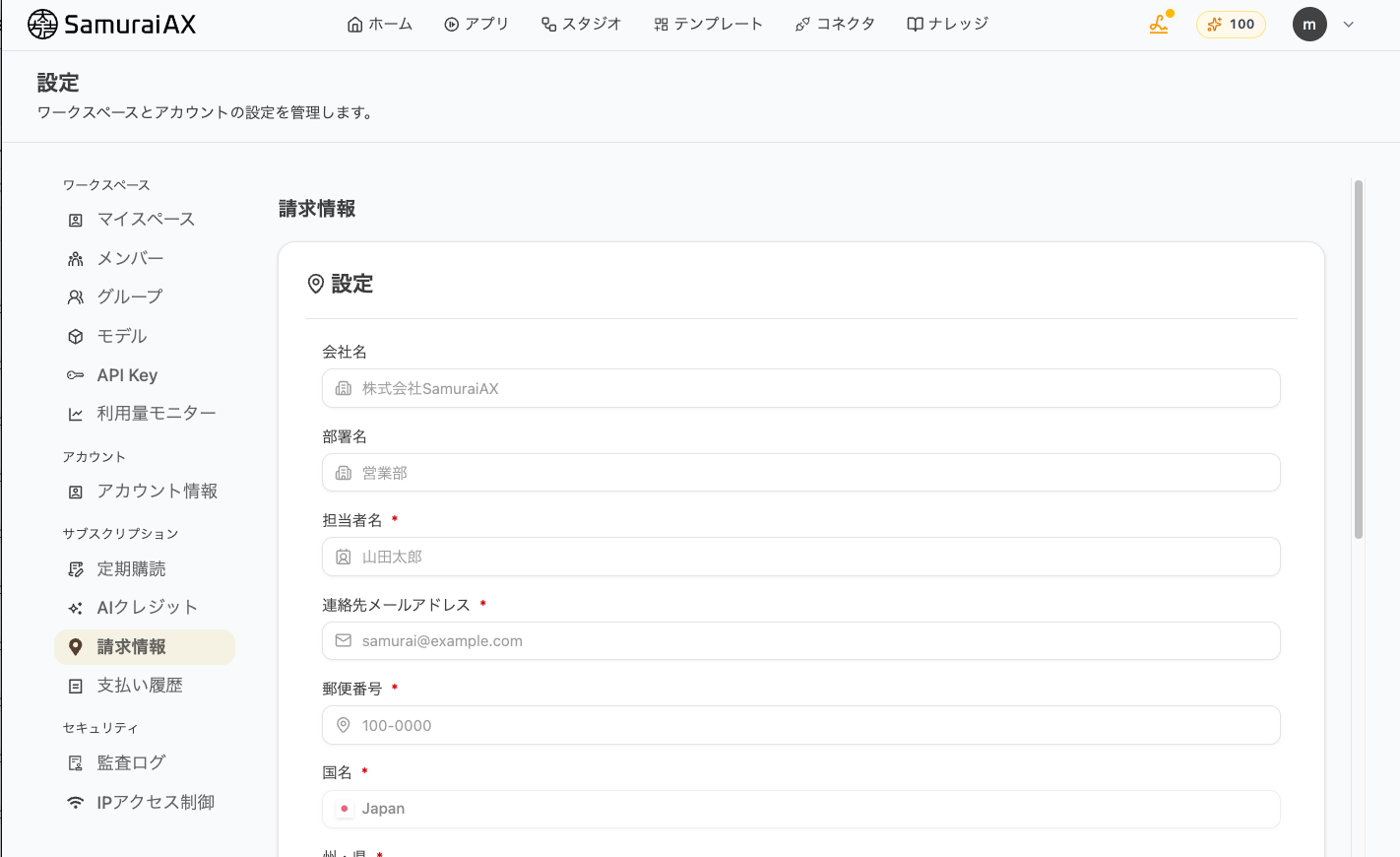
| Field | Required/Optional |
|---|---|
| Contact name | Required |
| Contact email address | Required |
| Postal code | Required |
| Country | Required (fixed to Japan) |
| State/Prefecture | Required |
| City | Required |
| Address line 1 | Required |
| Company name | Optional |
| Department | Optional |
| Address line 2 | Optional |
When you finish entering the information, click “Save” at the bottom right of the form.
02. Register Credit Card Information (For Credit Card Payment)
Section titled “02. Register Credit Card Information (For Credit Card Payment)”For credit card payment, enter your card number, expiry date, and CVC in “Credit Card Information” at the bottom of the same “Billing Information” screen, then click “Save”.
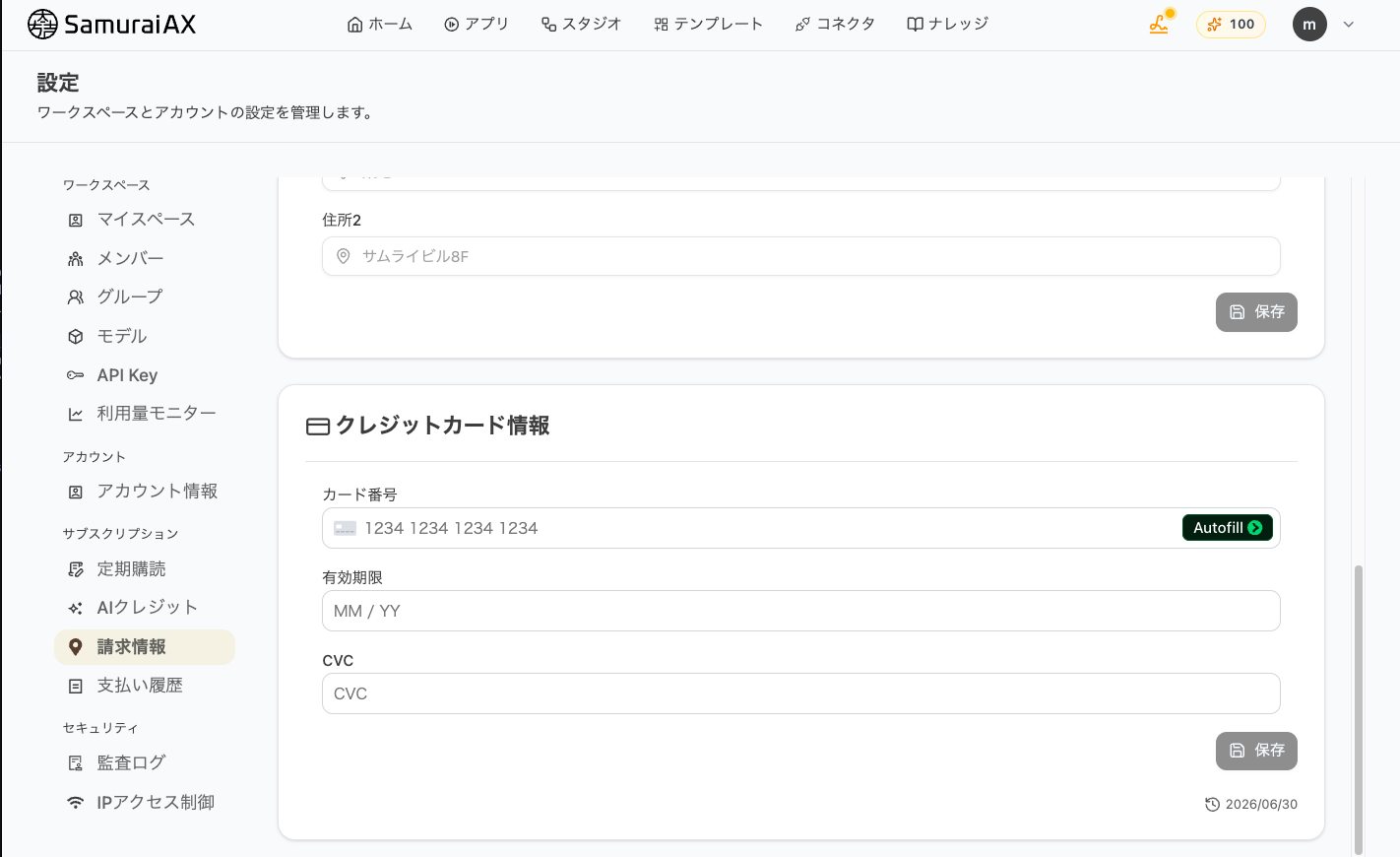
After saving, it may take a few seconds for the card information to be reflected. Please wait a moment before moving on to the next step.
03. Start the Subscription
Section titled “03. Start the Subscription”Open “Subscription” in the left menu.
“Plan Details” shows the plan type, basic fee, basic AI credit, payment cycle, and payment method. Check the details and the “Total” amount.
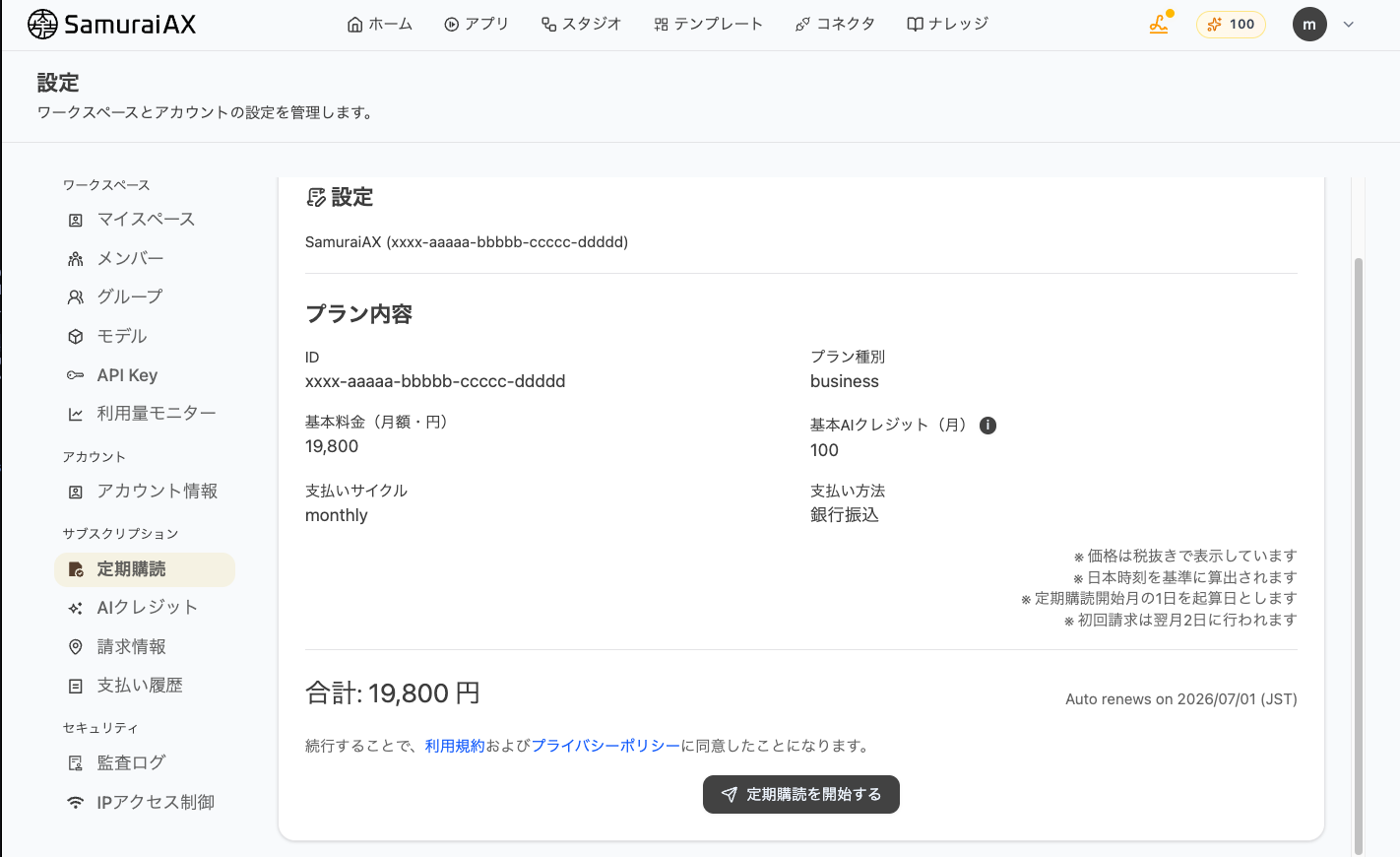
Once you have confirmed the details, click “Start Subscription”. The button changes to “OK?”, so click it again to start the subscription.
Last updated: