

Environment Variables
SamuraiAX allows you to manage per-space encrypted environment variables. You can securely store reusable configuration values and secrets such as API keys, endpoint URLs, and tenant IDs, then reference them in the workflow builder.
How to Configure
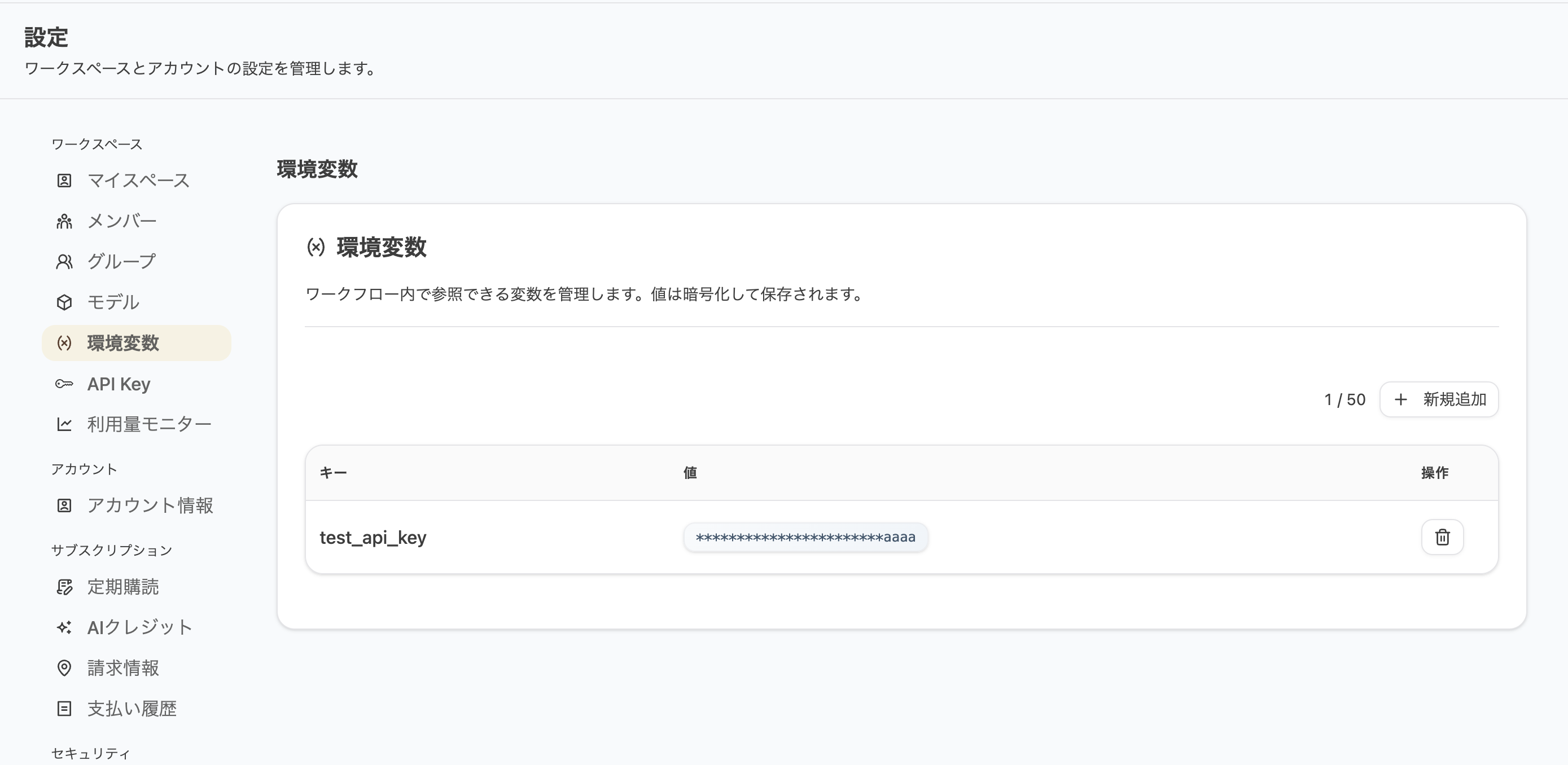
Section titled “How to Configure”- Open Settings from the account menu in the top-right corner
- Select the Environment Variables tab from the sidebar
- Click the Add button in the top-right
- Enter a key name and value, then save
 )
)
Using in Workflows
Section titled “Using in Workflows”Select from the Variable Picker
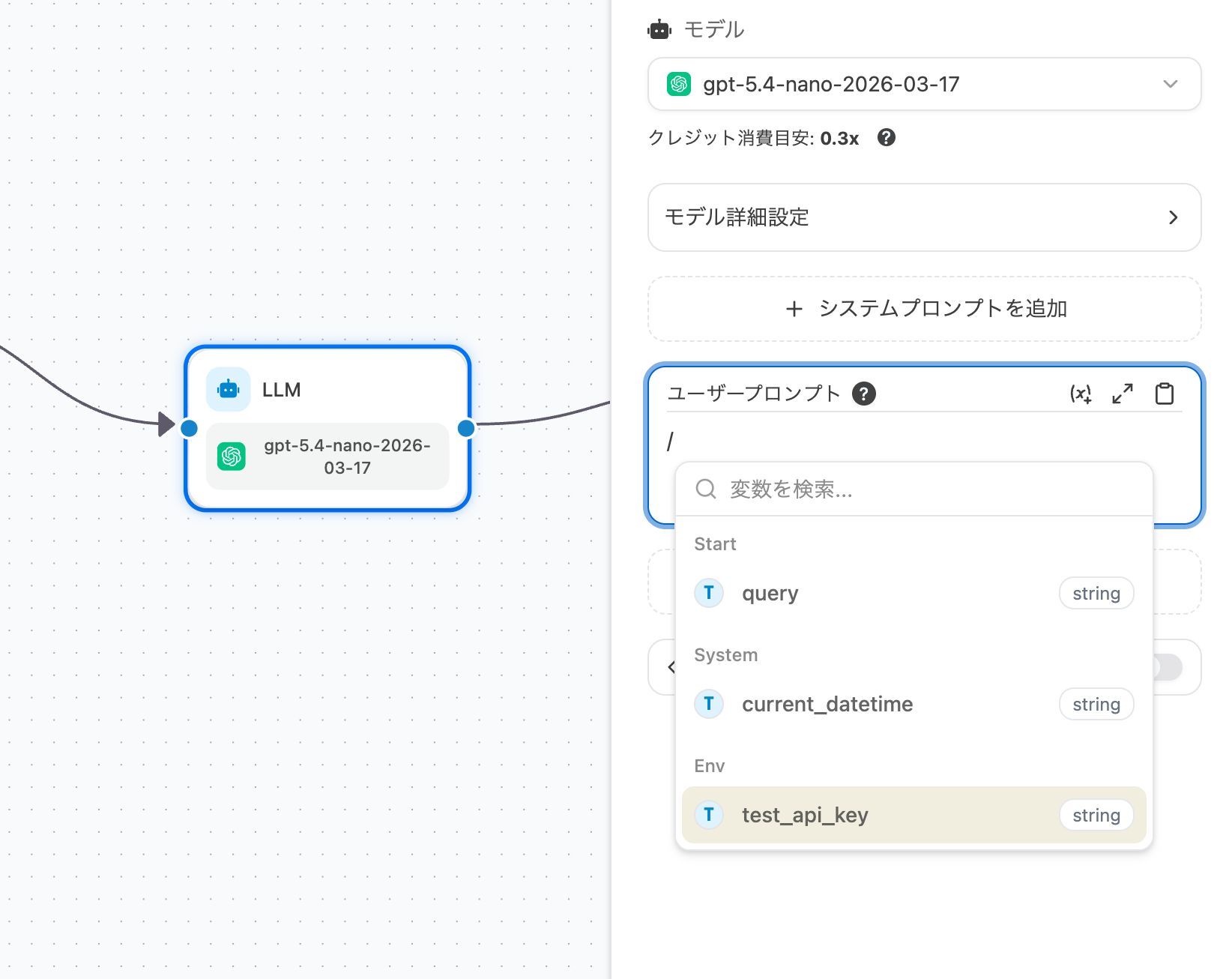
Section titled “Select from the Variable Picker”- Open a node input (e.g., an LLM node) in the workflow builder
- Open the variable selector — you will see an Env group
- Select the variable you need —
{{#env.KEY_NAME#}}will be inserted automatically
Last updated: