

Desktop Node
The Desktop node is a tool that can automatically operate apps and windows on your PC. It can automate tasks performed outside the browser, such as typing into a notepad or text editor, launching applications, and file operations.
This tutorial introduces a “workflow that types text into Notepad.”
Tutorial
Section titled “Tutorial”Desktop Node
Section titled “Desktop Node”First, create a new workflow in Studio.
Add a Desktop node and copy and paste the following content into the node’s prompt:
1. Open Notepad (TextEdit on Mac)2. Type "Hello Samurai"3. Confirm the input is visible, then finish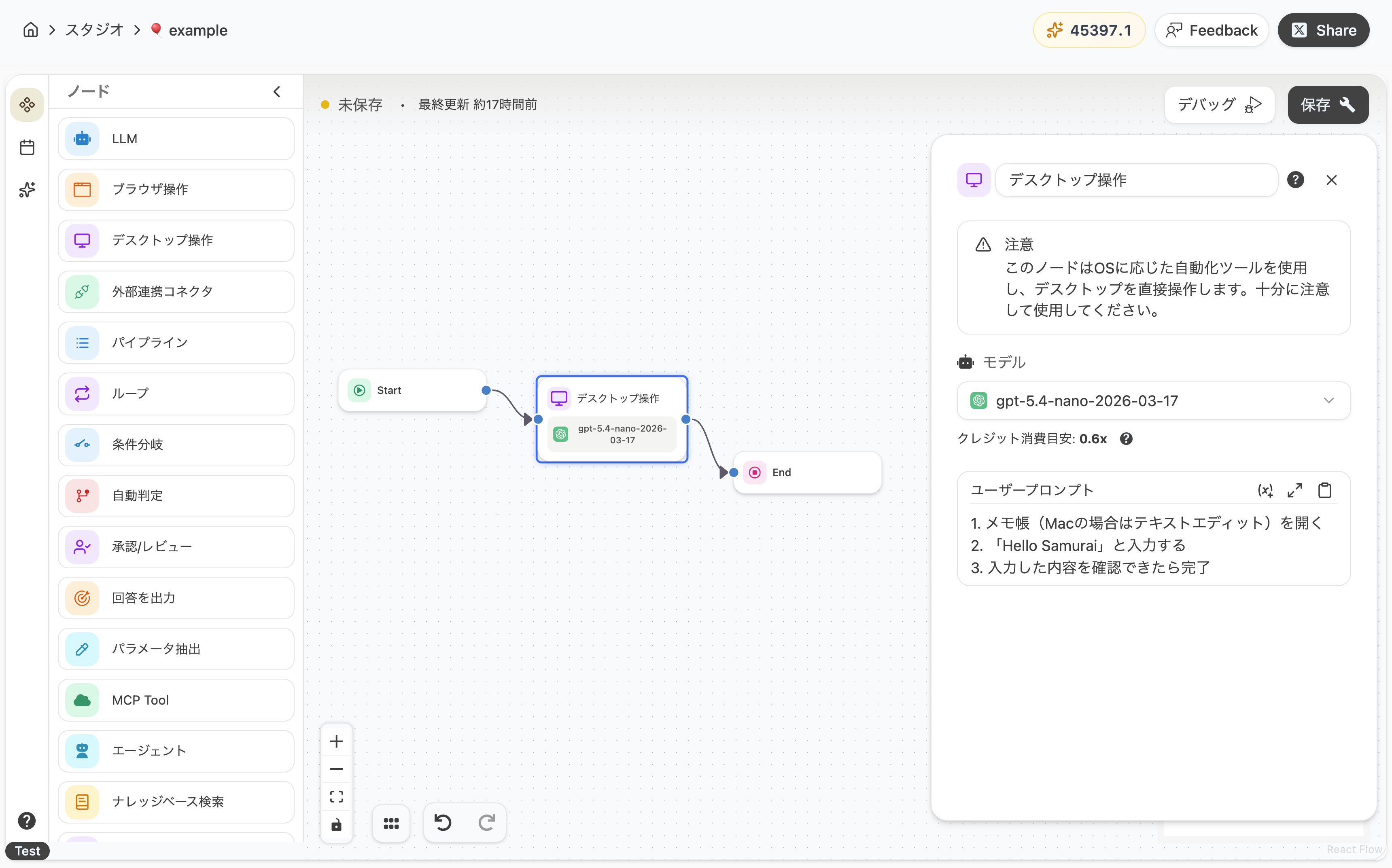
Running the Workflow
Section titled “Running the Workflow”Now you’re ready. Click the debug button to run the workflow.
When executed, Notepad will actually launch on your PC and the specified text will be typed automatically.
Customizing the Process
Section titled “Customizing the Process”Next, let’s customize the workflow. This time, we’ll combine it with an LLM node so that the content generated by the AI is written directly into Notepad.
Add a new LLM node before the Desktop node and configure the following prompt:
Please output 3 TODOs to tackle today as a bulleted list.Next, change the Desktop node’s prompt as follows:
1. Open Notepad (TextEdit on Mac)2. Type the following content as is
{{#llm-1.response#}}
After making the changes, click “Save” and run it again. The TODO list generated by the LLM node will be typed directly into Notepad.
By combining nodes like this, you can take the AI’s output beyond the browser and reflect it directly into any app you like on your PC.
Learn More
Section titled “Learn More”Recommended Environment
Section titled “Recommended Environment”- The Desktop node is only available in the desktop version of SamuraiAI. It is not available in the web version.
- Supported operating systems are macOS and Windows. Linux is not supported.
- The target application must already be running or available to launch.
Desktop Node Features
Section titled “Desktop Node Features”- Whole-PC Operations: You can operate any application on your PC, not just inside the browser.
- Runs Locally: All operations are performed on your PC, and the content of operations is never sent externally.
- Model Selection: You can freely switch the AI model used, depending on the task.
Choosing Between Browser and Desktop Nodes
Section titled “Choosing Between Browser and Desktop Nodes”| What you want to do | Recommended node |
|---|---|
| Operate a website / collect information from it | Browser node |
| Operate apps on your PC (Notepad, Excel, custom business apps, etc.) | Desktop node |
| Read or write files | Filesystem node |
Operation Support
Section titled “Operation Support”| Operation | Support | Details |
|---|---|---|
| Launch / quit applications | ✅️ | |
| Window operations (maximize, move, etc.) | ✅️ | |
| Text input | ✅️ | |
| Click / keyboard input | ✅️ | |
| Screen information retrieval | ✅️ | Uses accessibility information |
| Screens made of images / video only | △ | Operation accuracy decreases when accessibility information is unavailable |
- Refraining from using the mouse and keyboard during operation will result in more stable behavior.
- We recommend backing up important files and data before running operations that handle them.
Last updated: